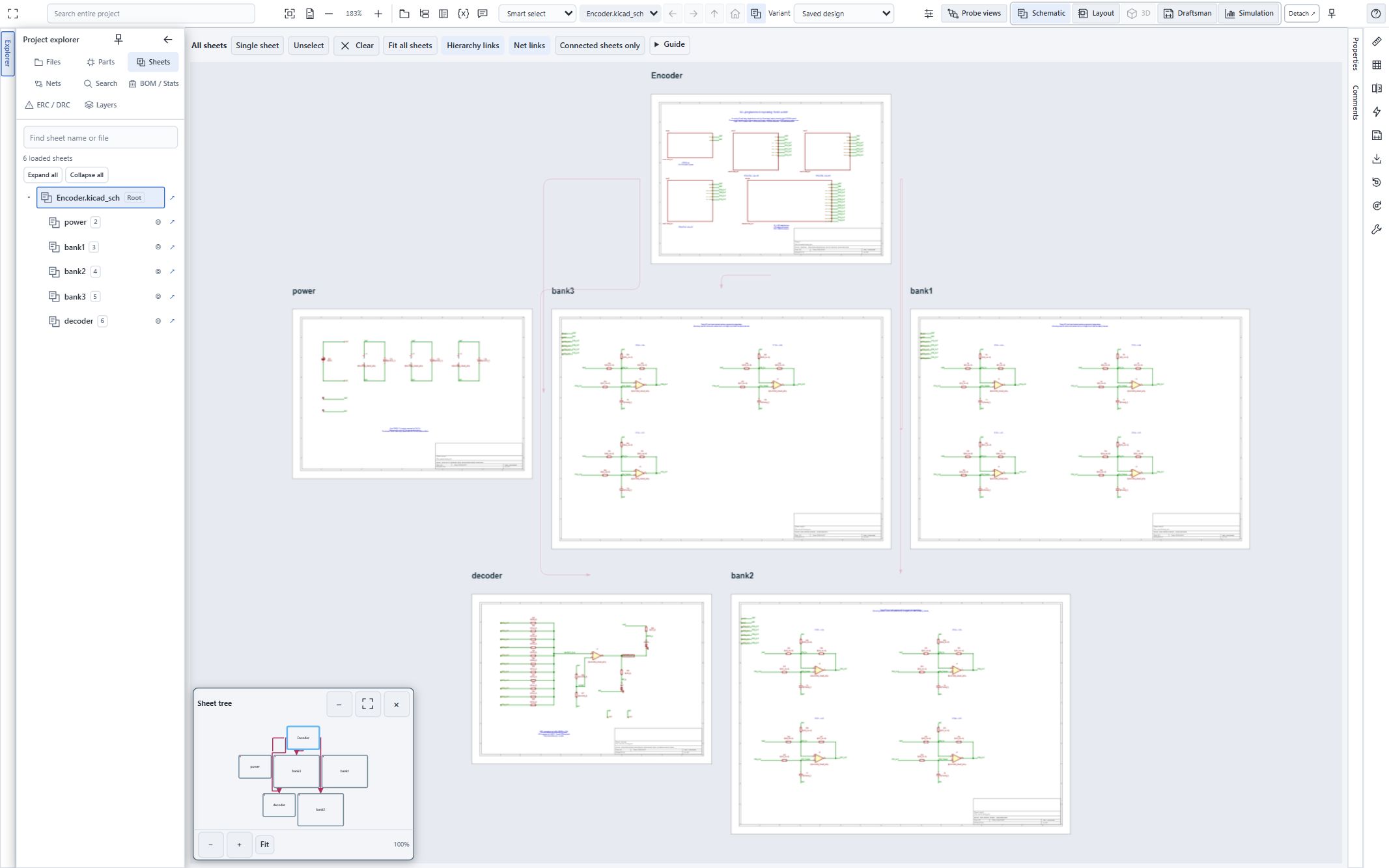
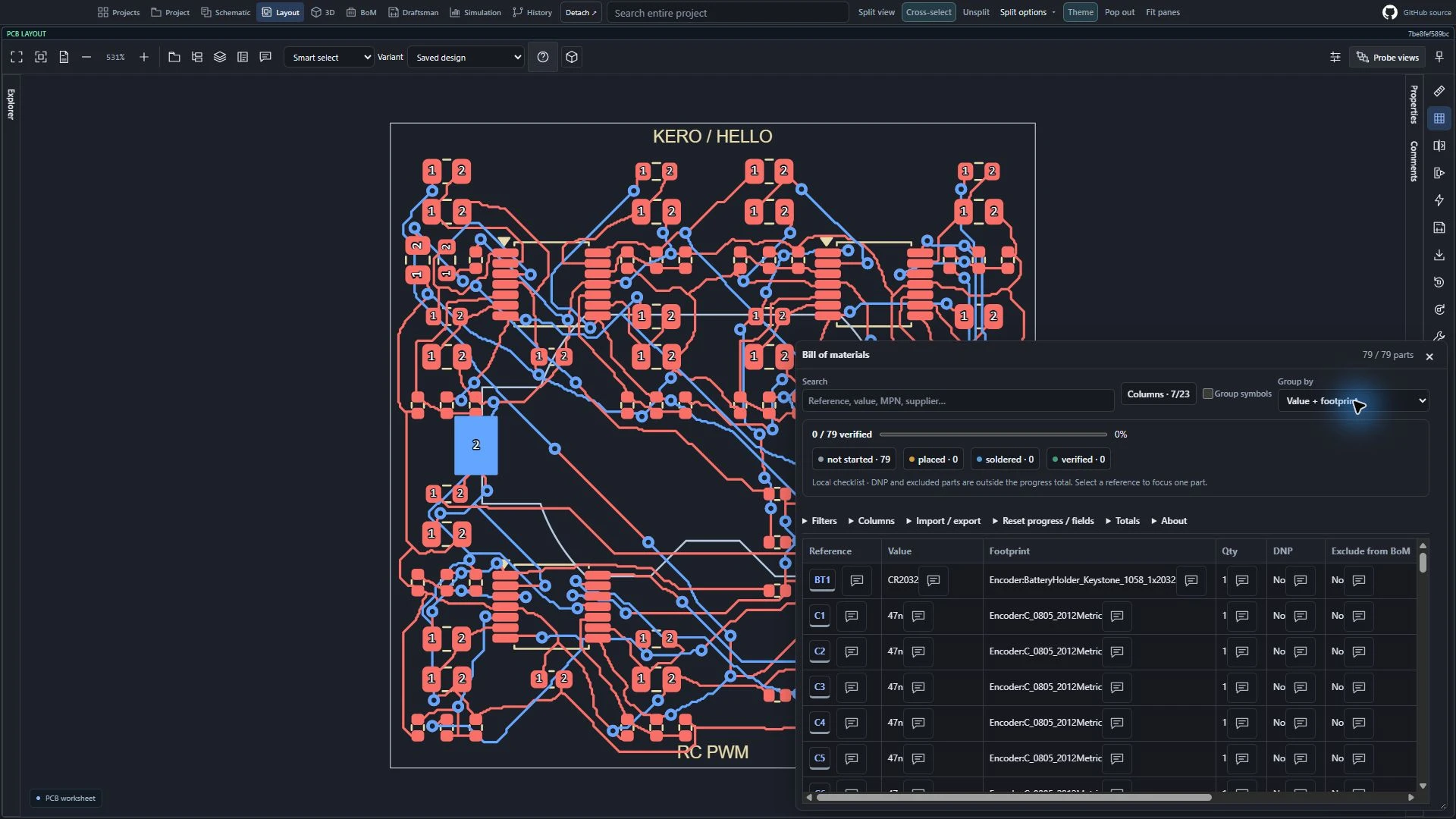
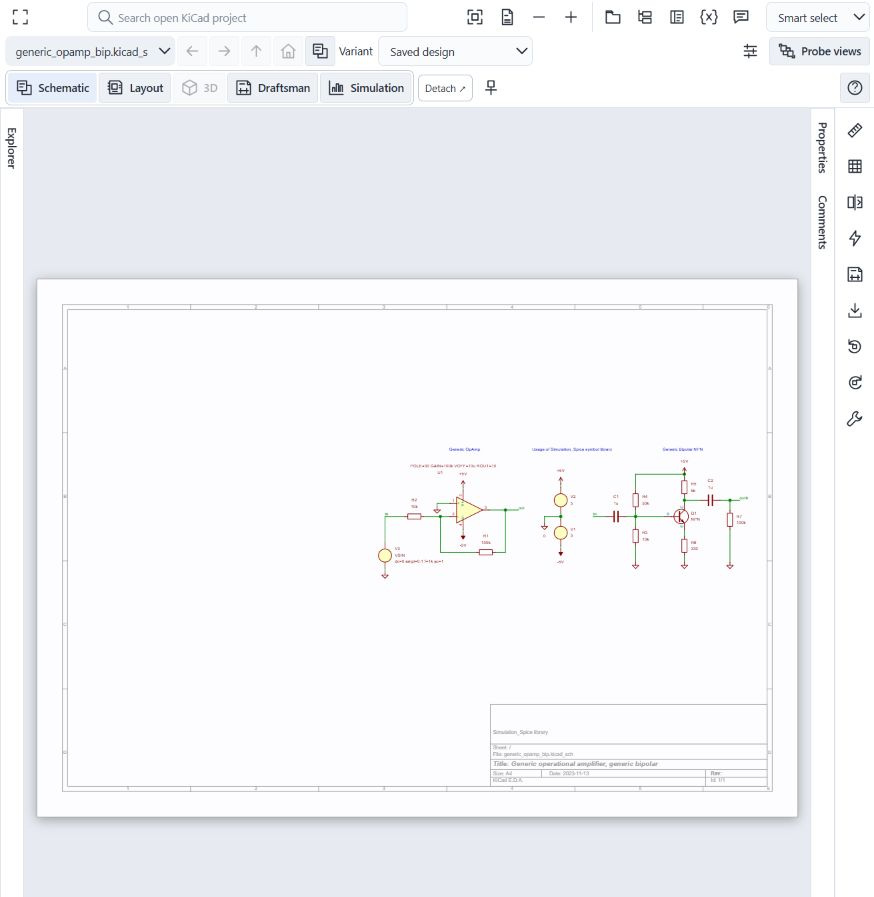
Navigate the saved sheet hierarchyFollow the root, saved page numbers and six-sheet structure in the refreshed explorer and all-sheet map.0.12.102 source harness · 19 Nov 2026 · public KERO encoder design
GitHub preview · 25 Nov 2026
What’s new in 0.20.3
Search repositories for projects and standalone drawings by name or folder. On GitHub, the browser extension can use revision-pinned tree metadata when the page listing is incomplete.
Toggle markers to clear the drawing while keeping the review conversation available. Reply to existing GitHub issues in the viewer when the connected account and repository policy allow it.
Press L to open the compact PCB layer picker, use brackets to cycle copper layers, and press Shift+L to switch between highlighting and isolation. Dense layouts retain more board detail during a pan.
Open saved EMerge GUI and Quick EMerge results or Touchstone 1.x networks from the Simulation library. The preceding 0.20.2 update added saved KiCad workbook browsing and cross-probing for compatible results.
GitHub includes browser packages, the VS Code VSIX, and the Android 1.105 development APK for manual installation. Chrome, Firefox and VS Code store listings follow their own release schedules.
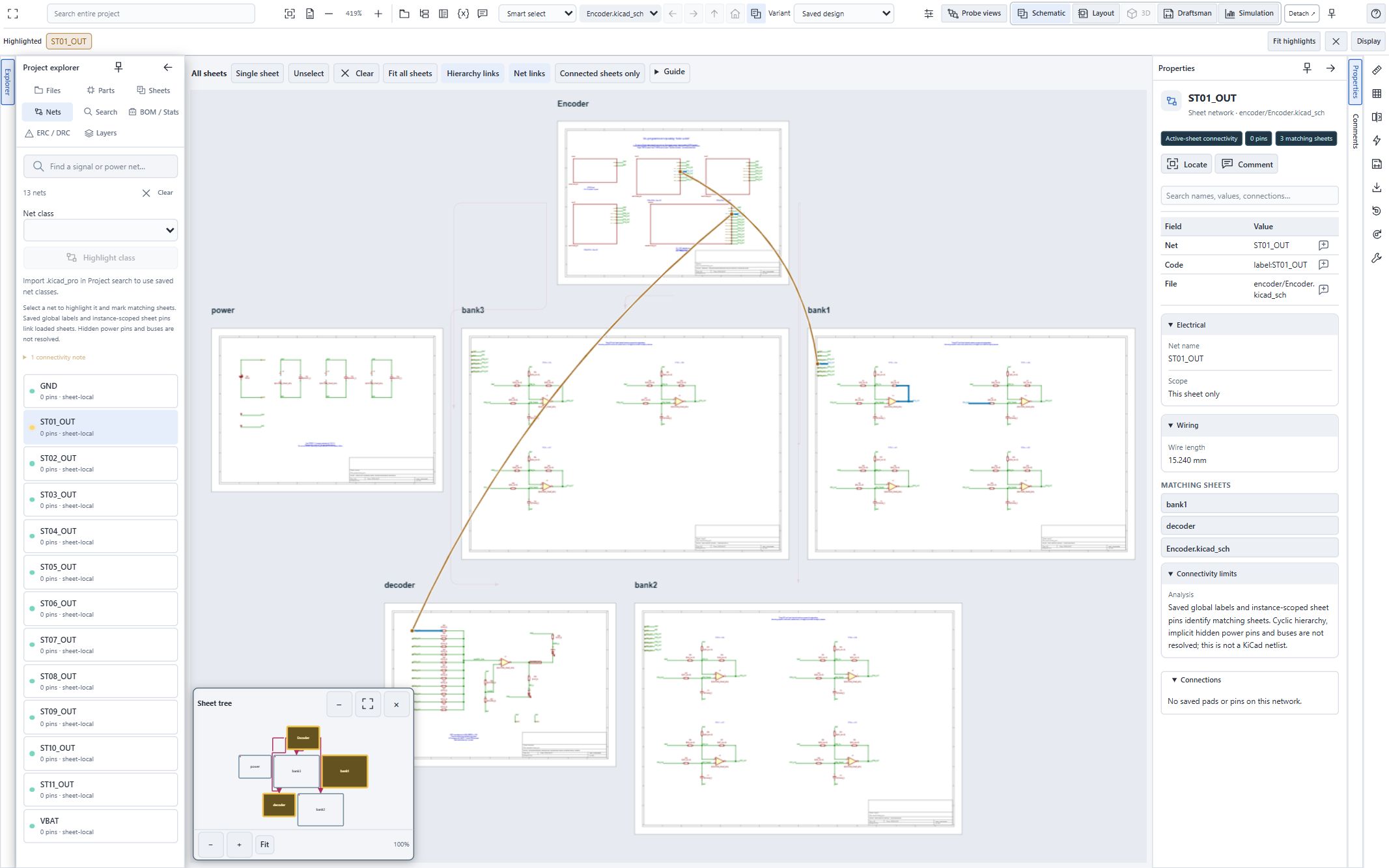
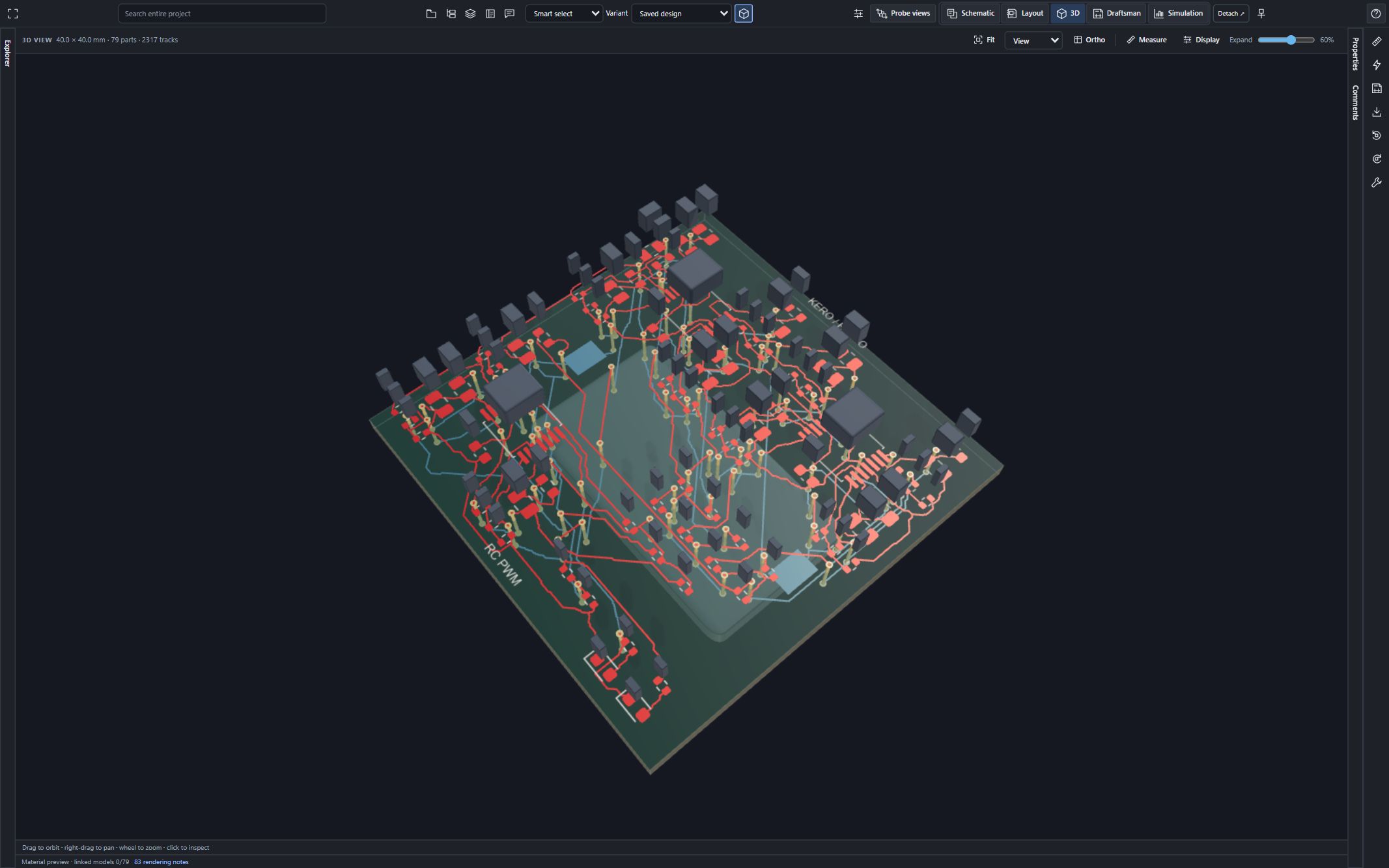
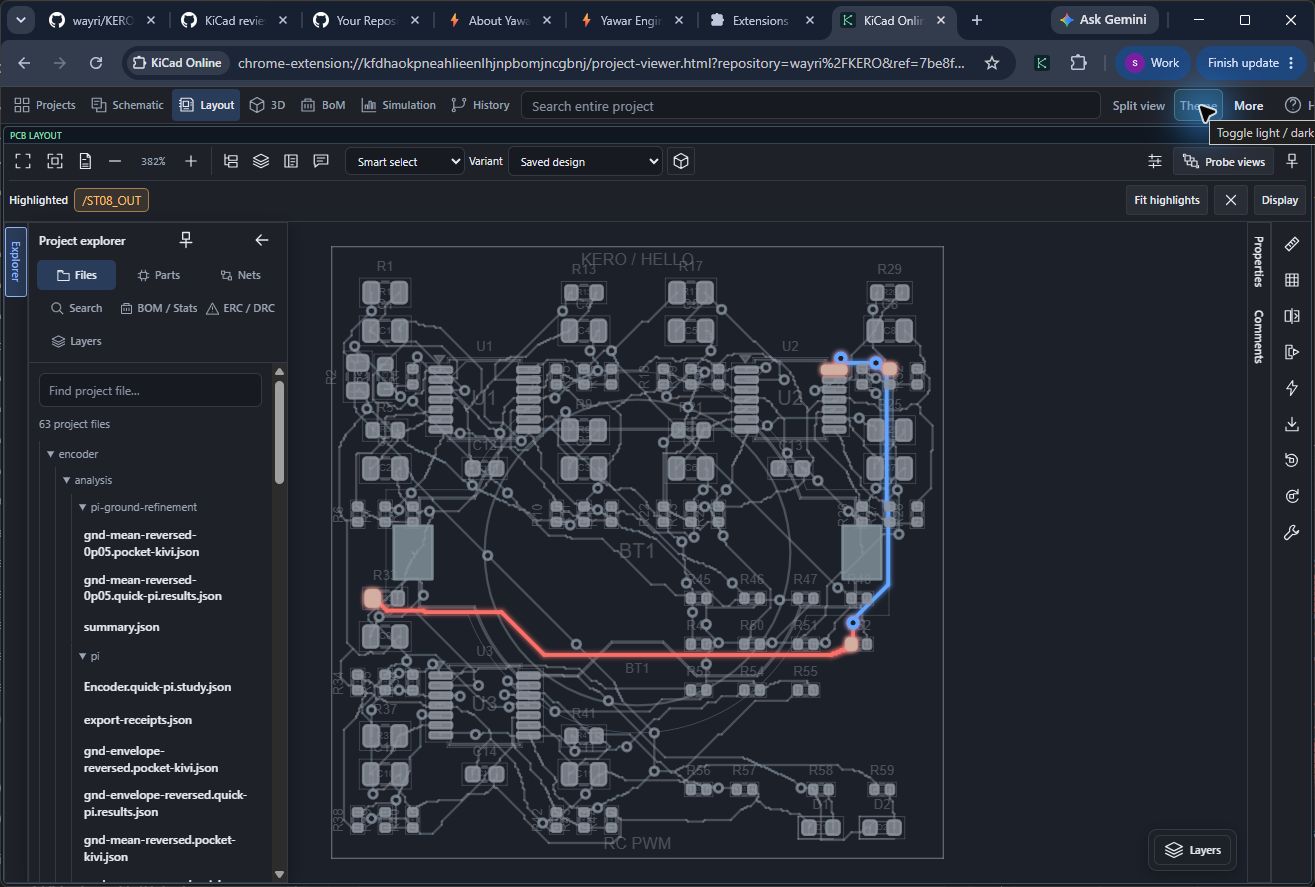
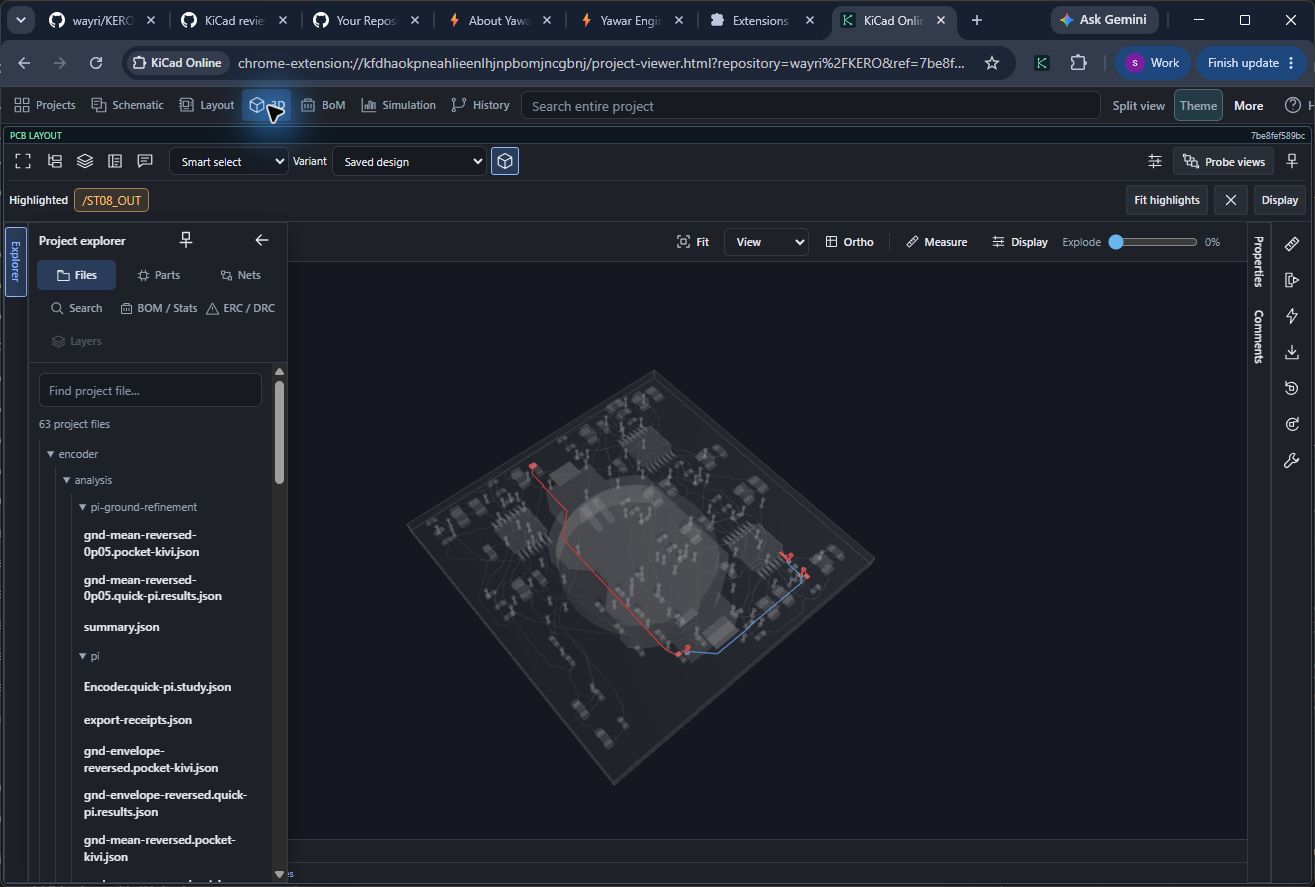
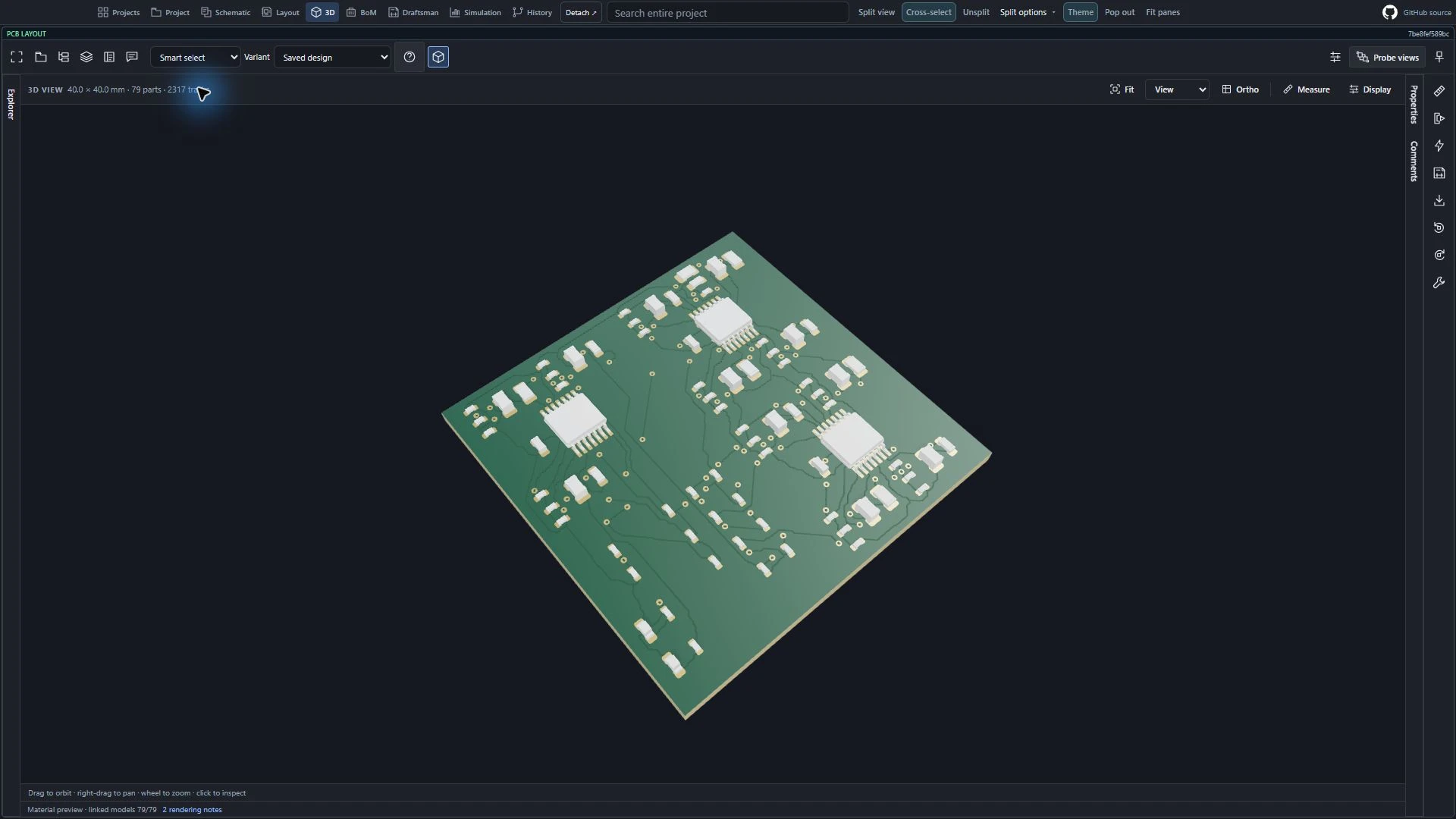
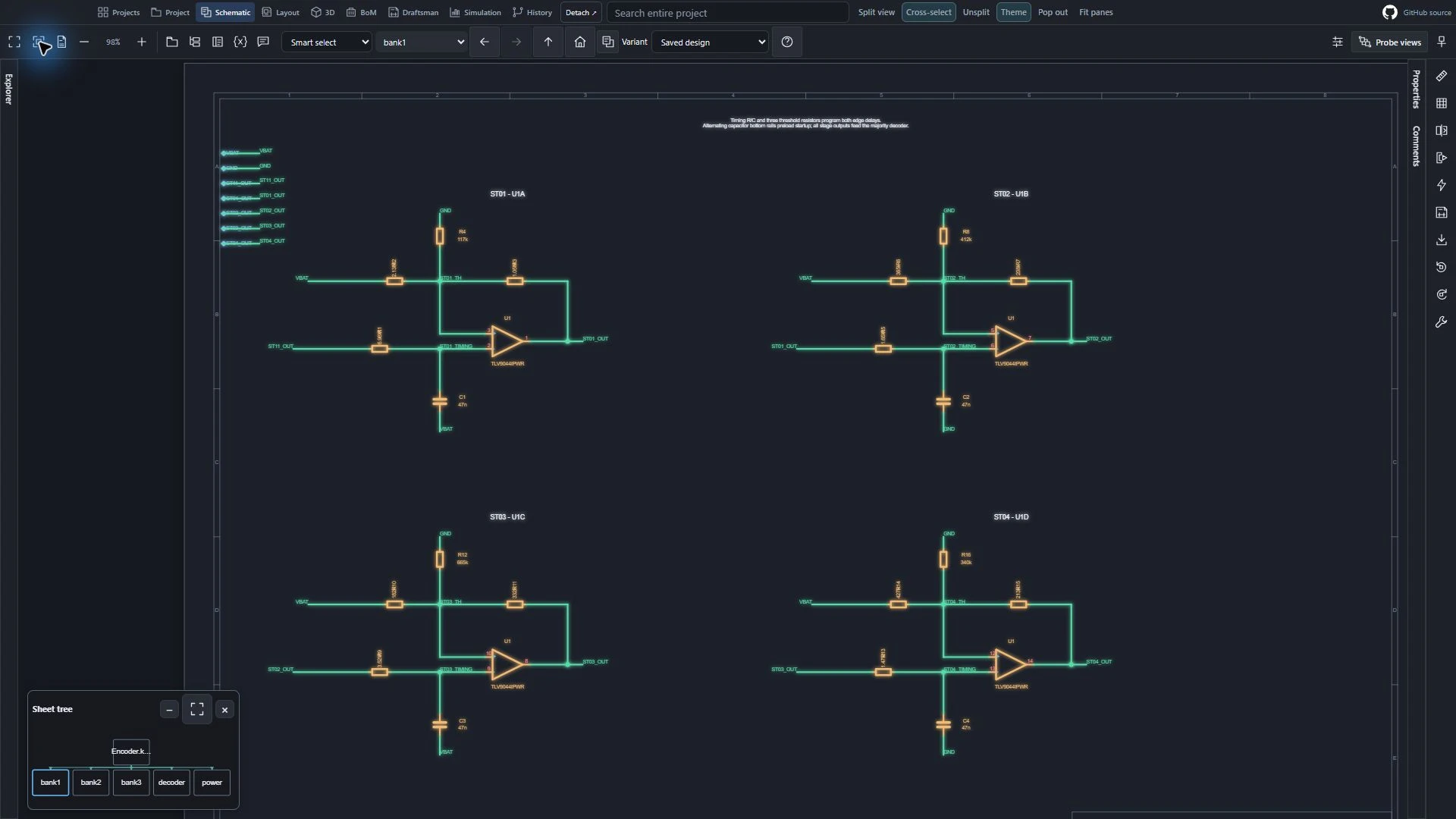
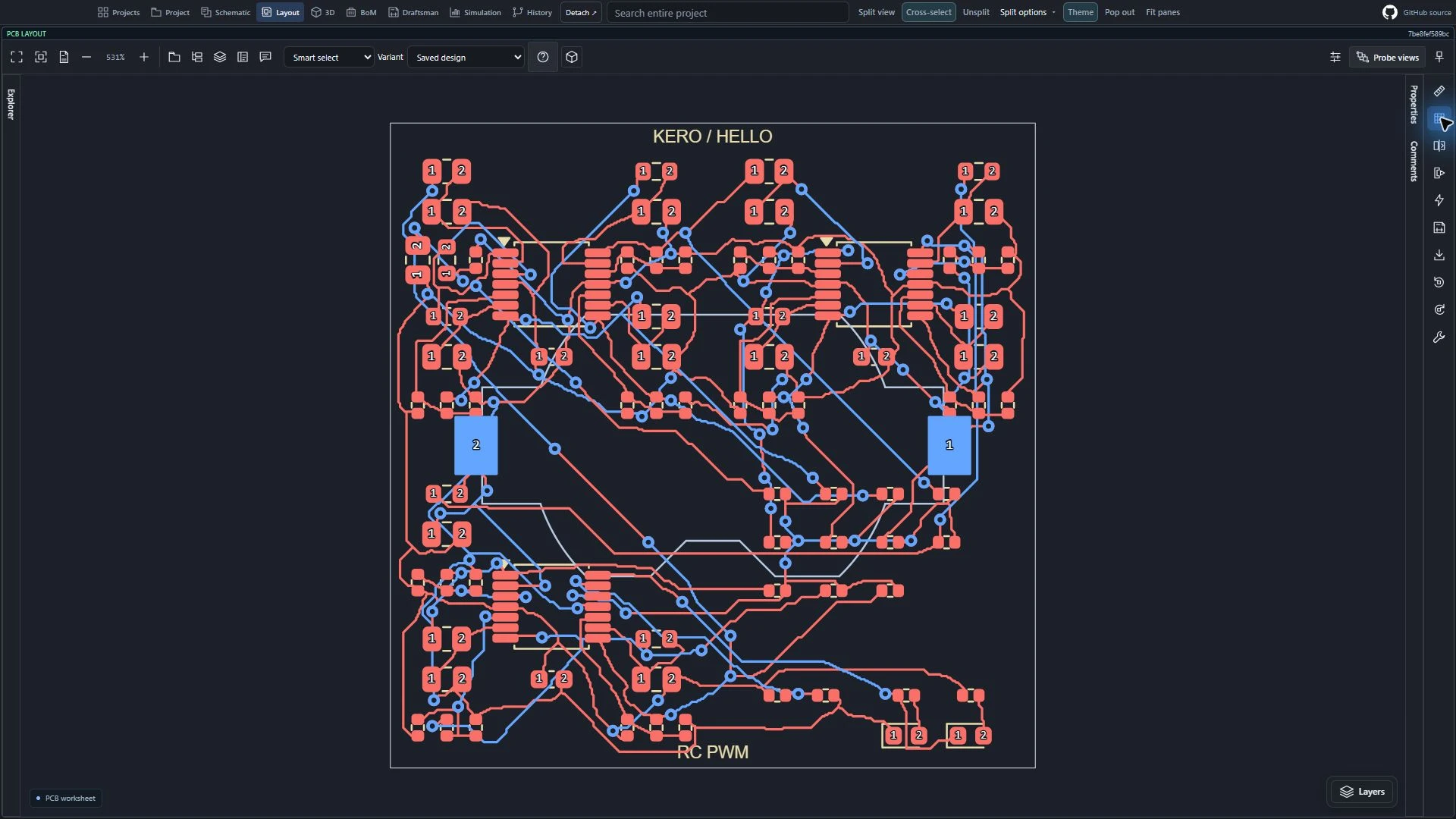
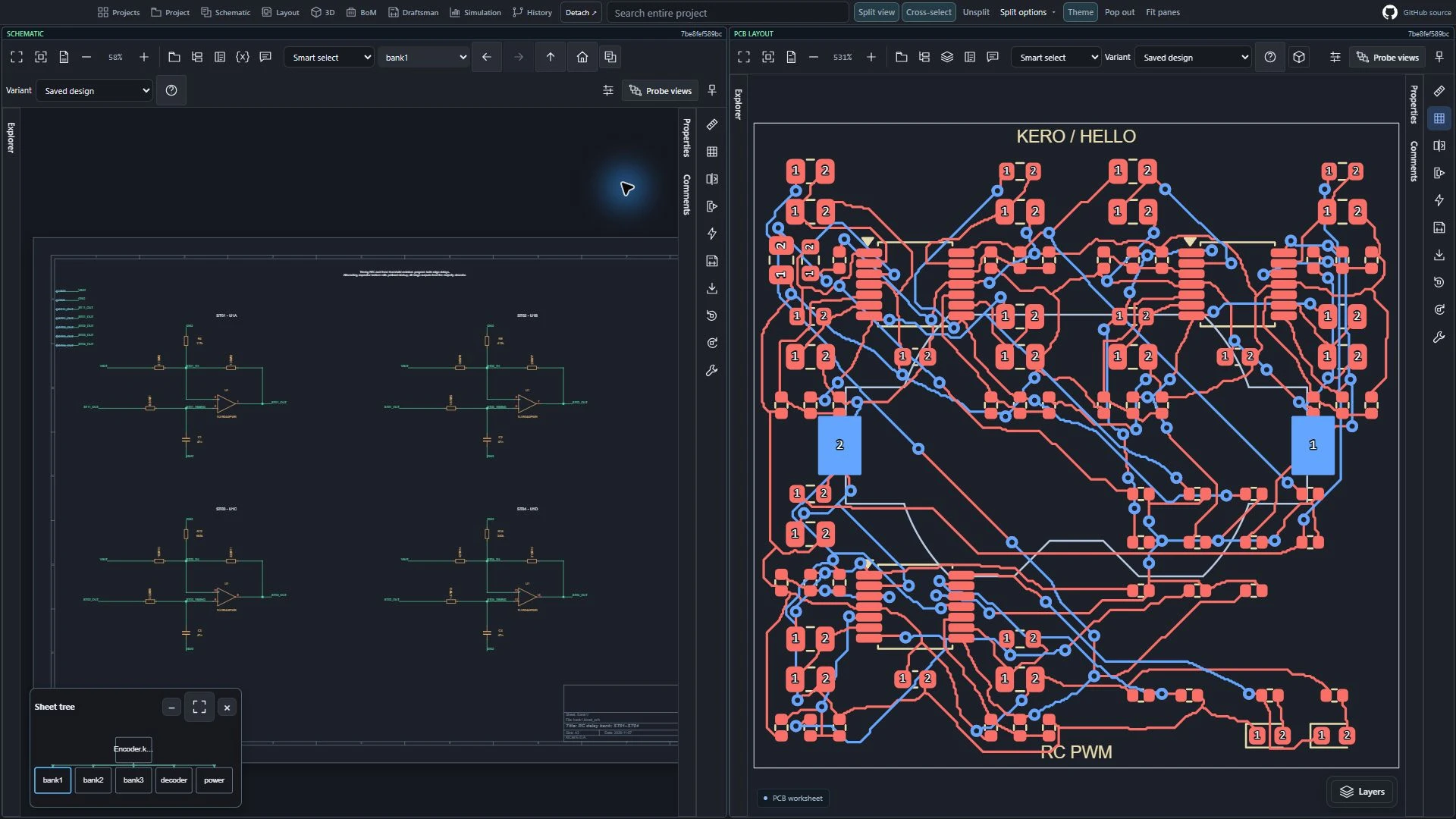
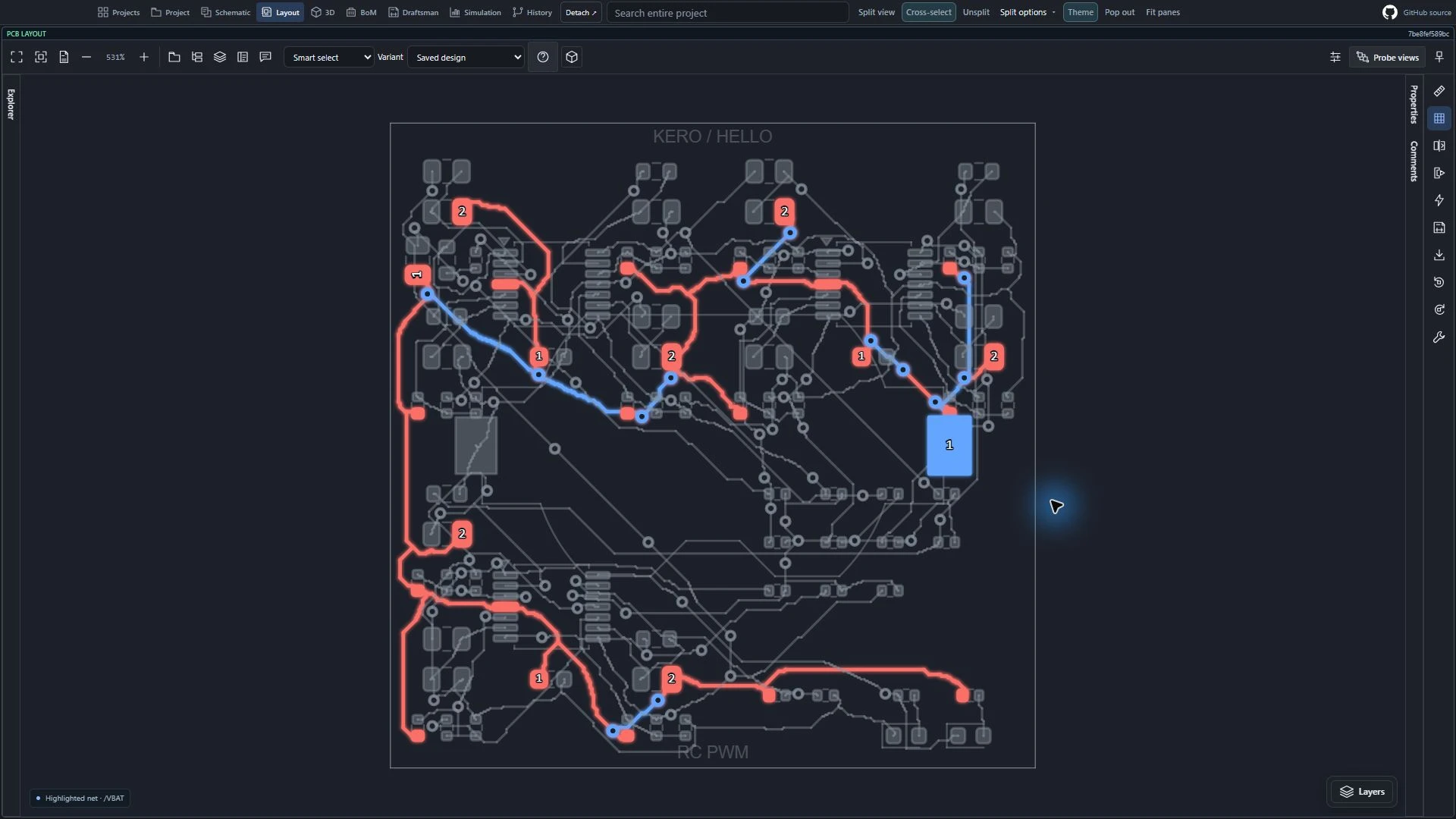
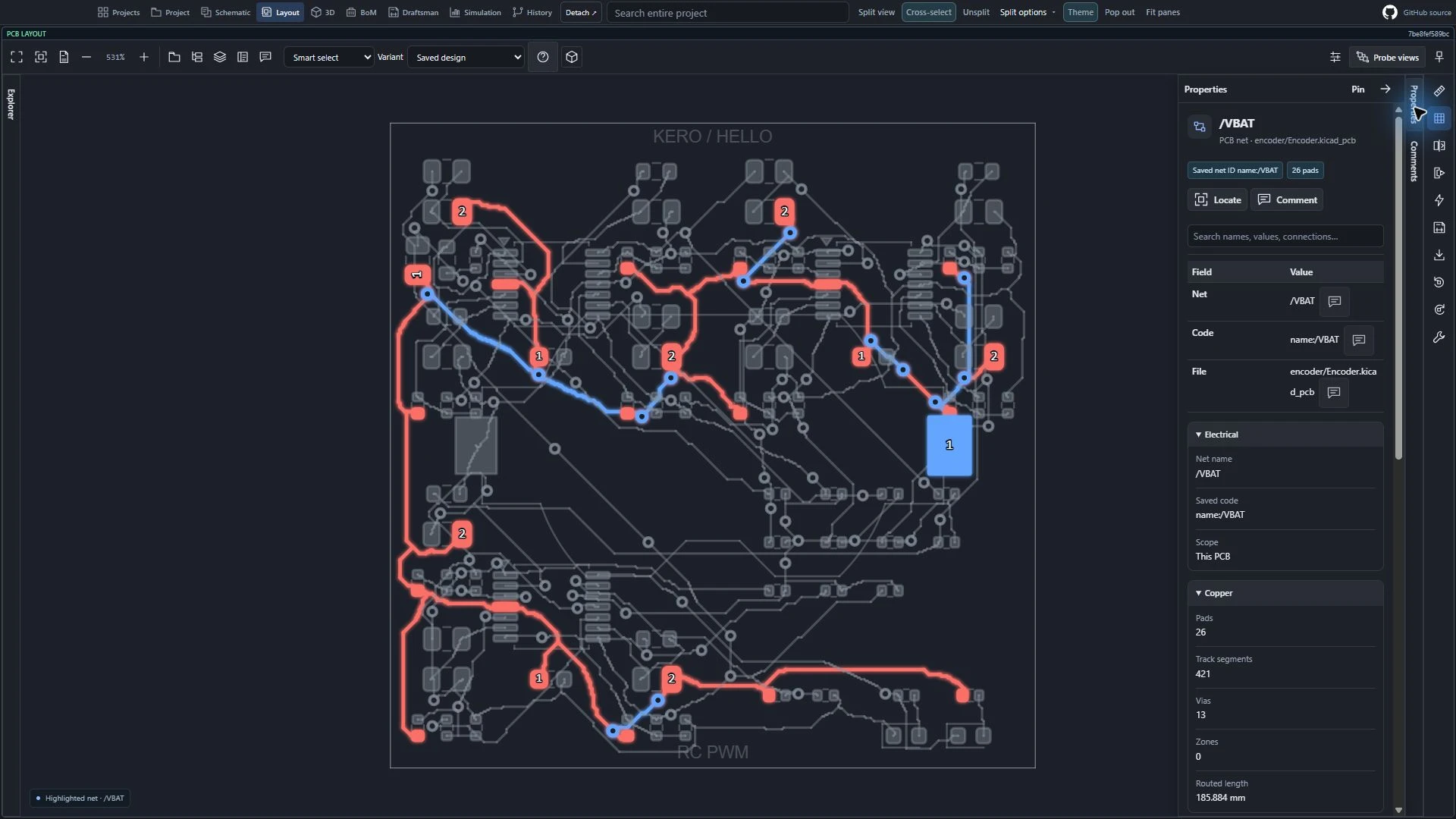
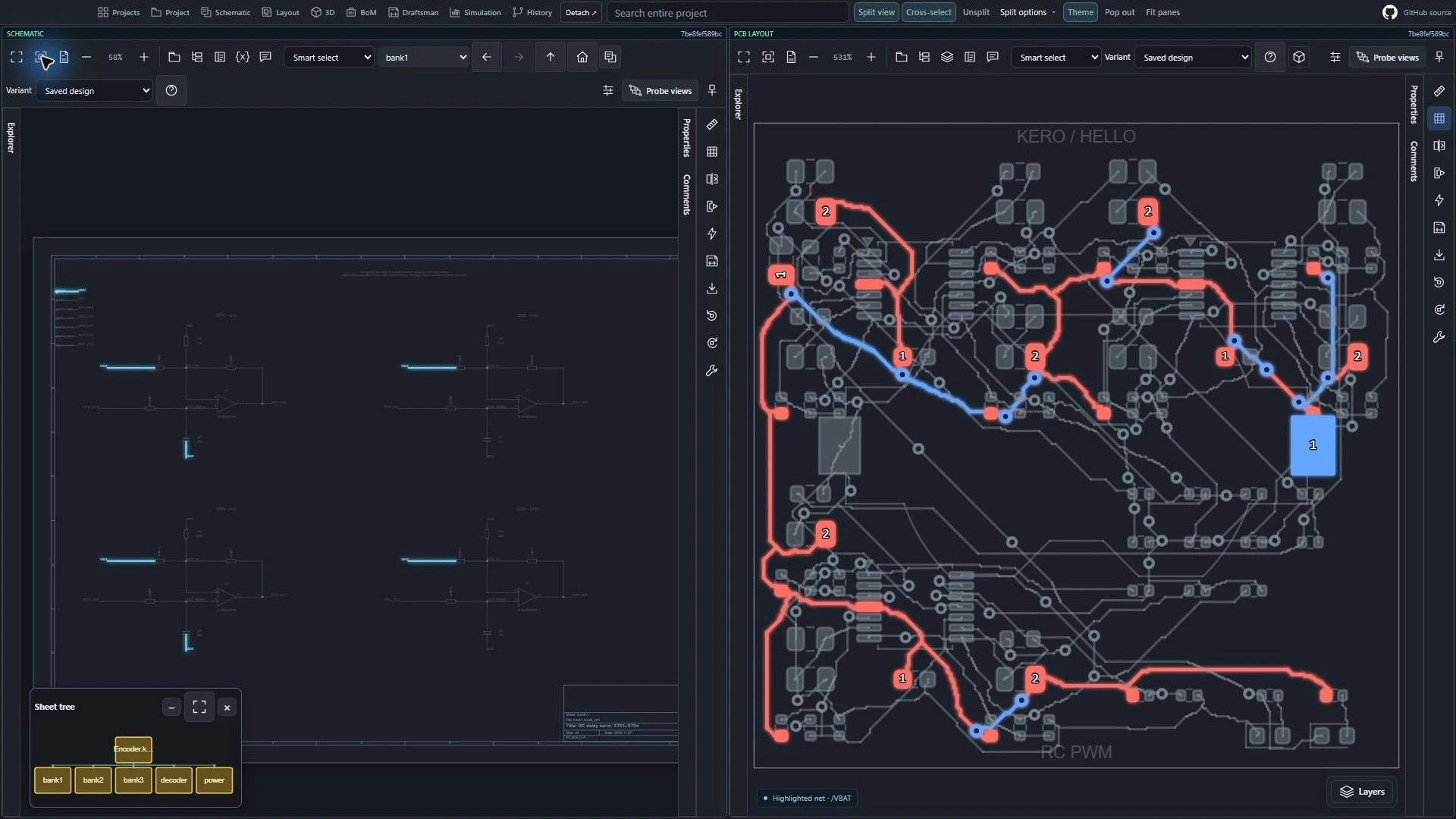
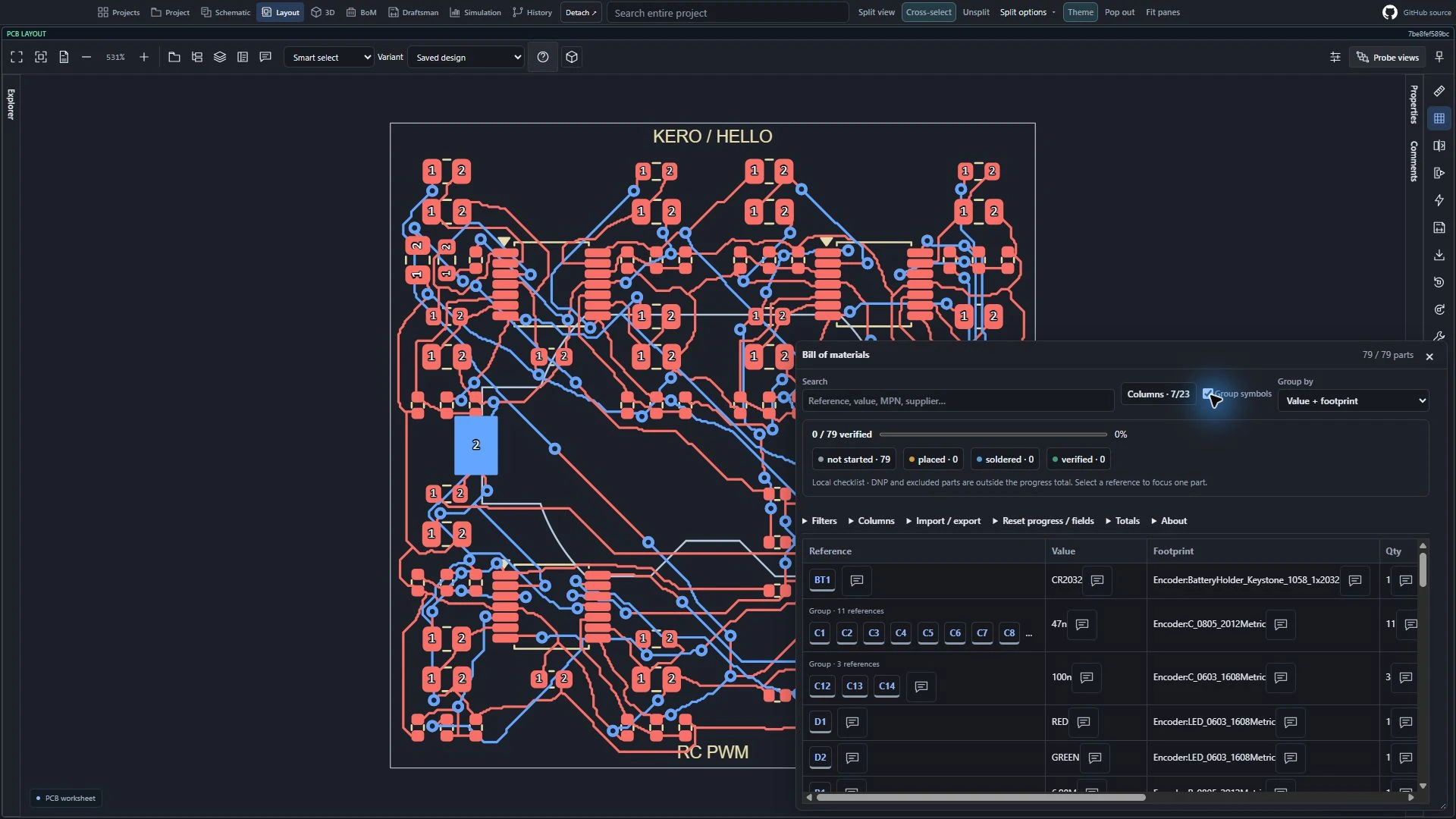
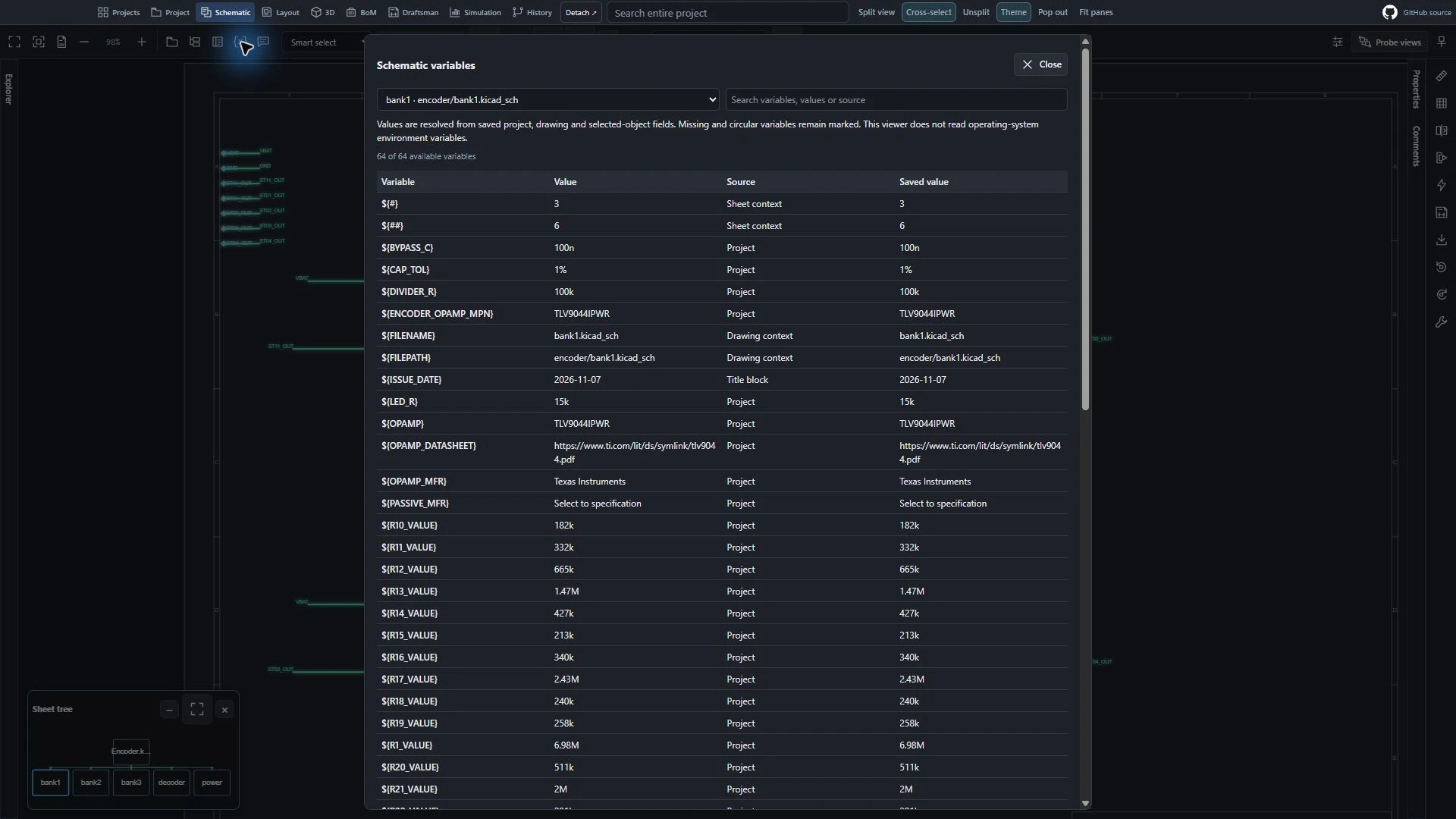
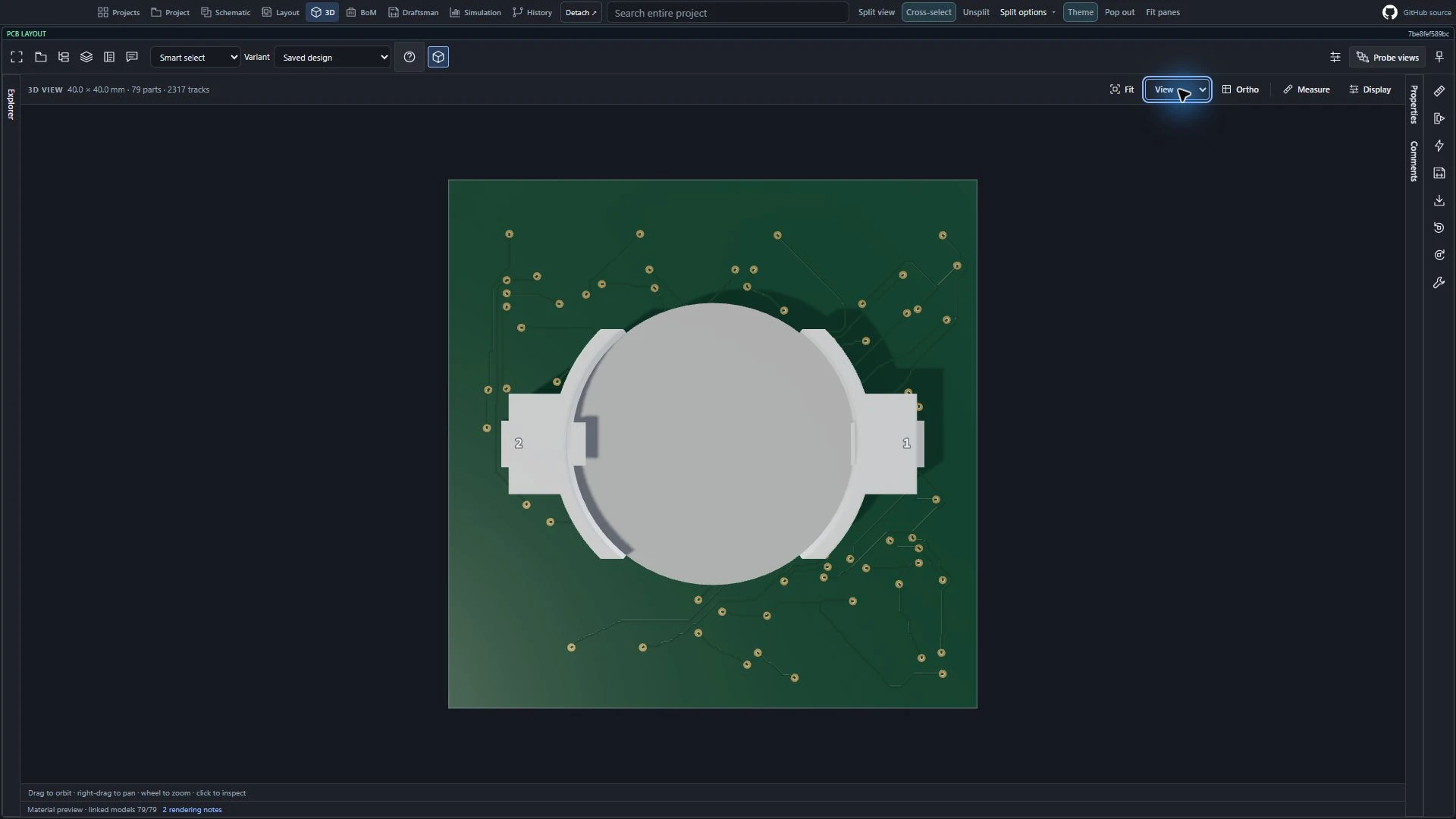
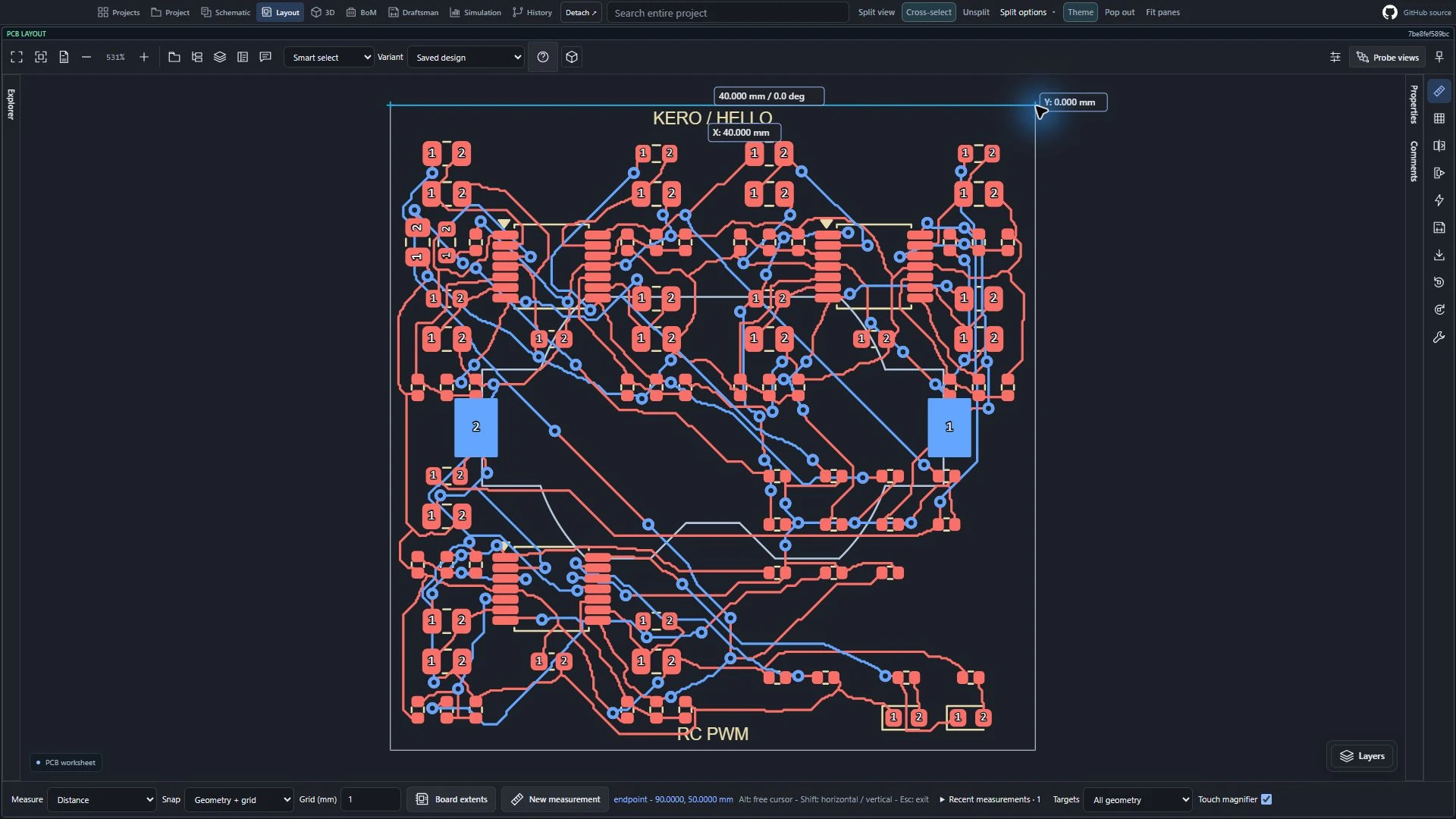
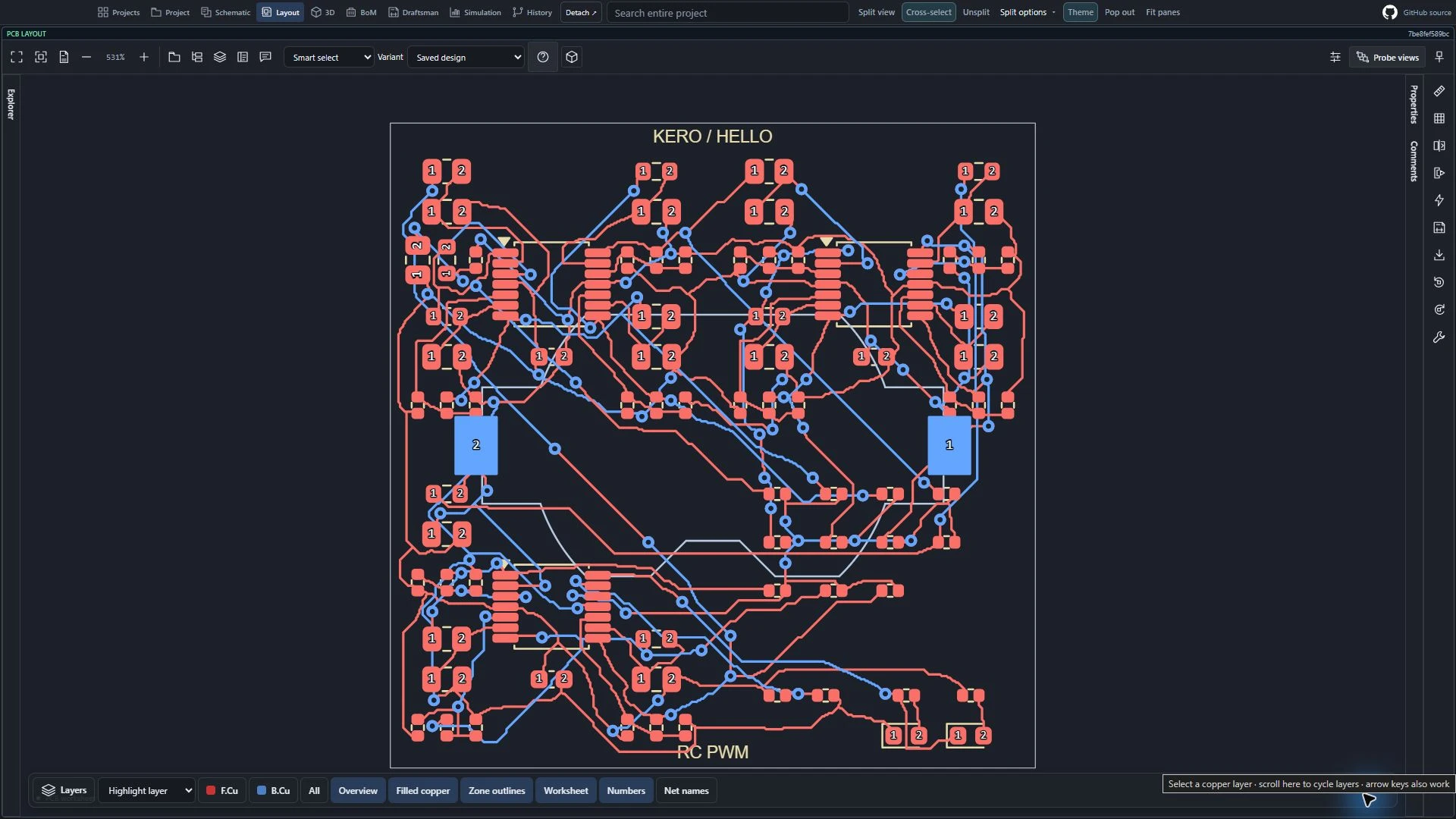
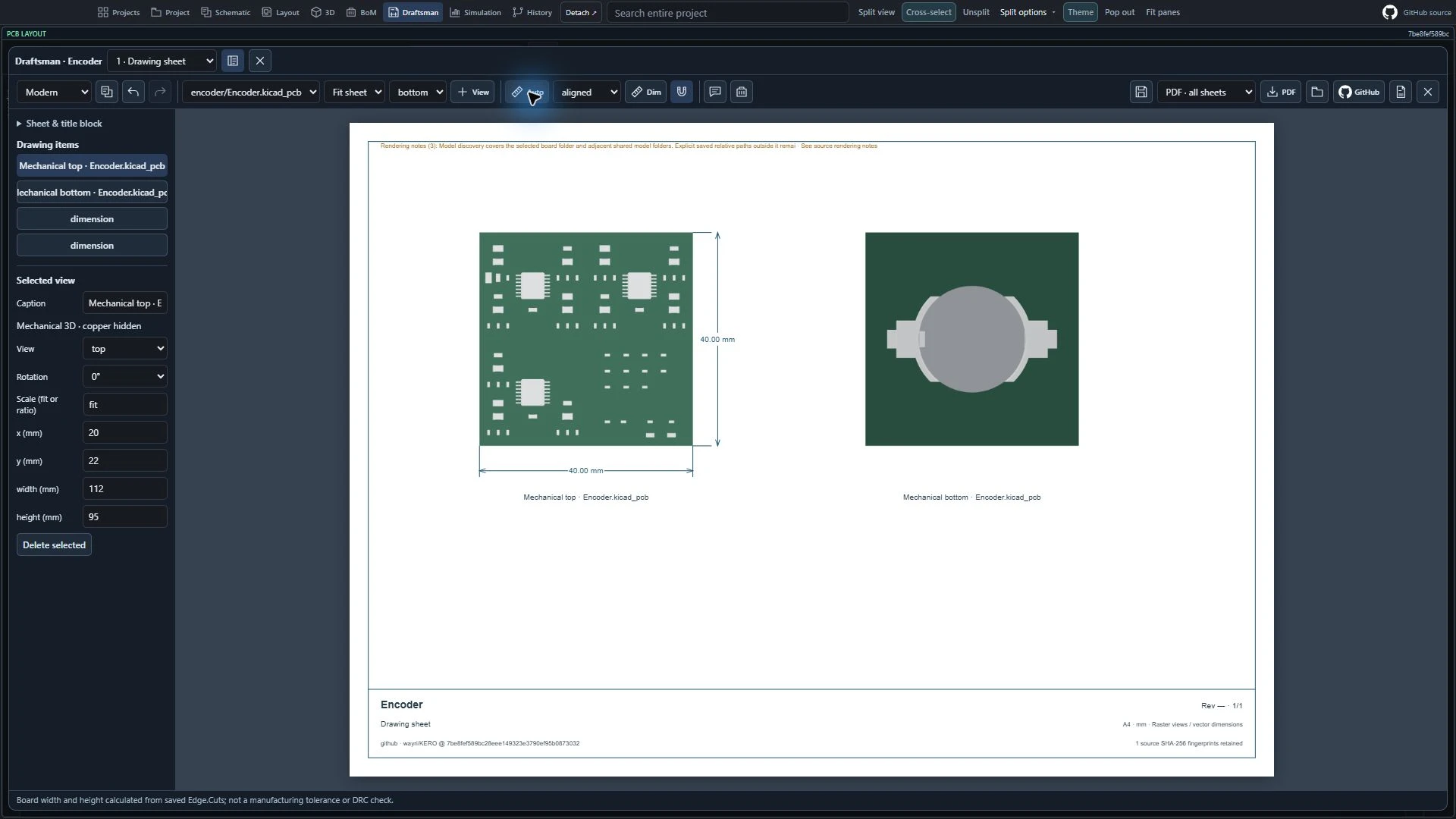
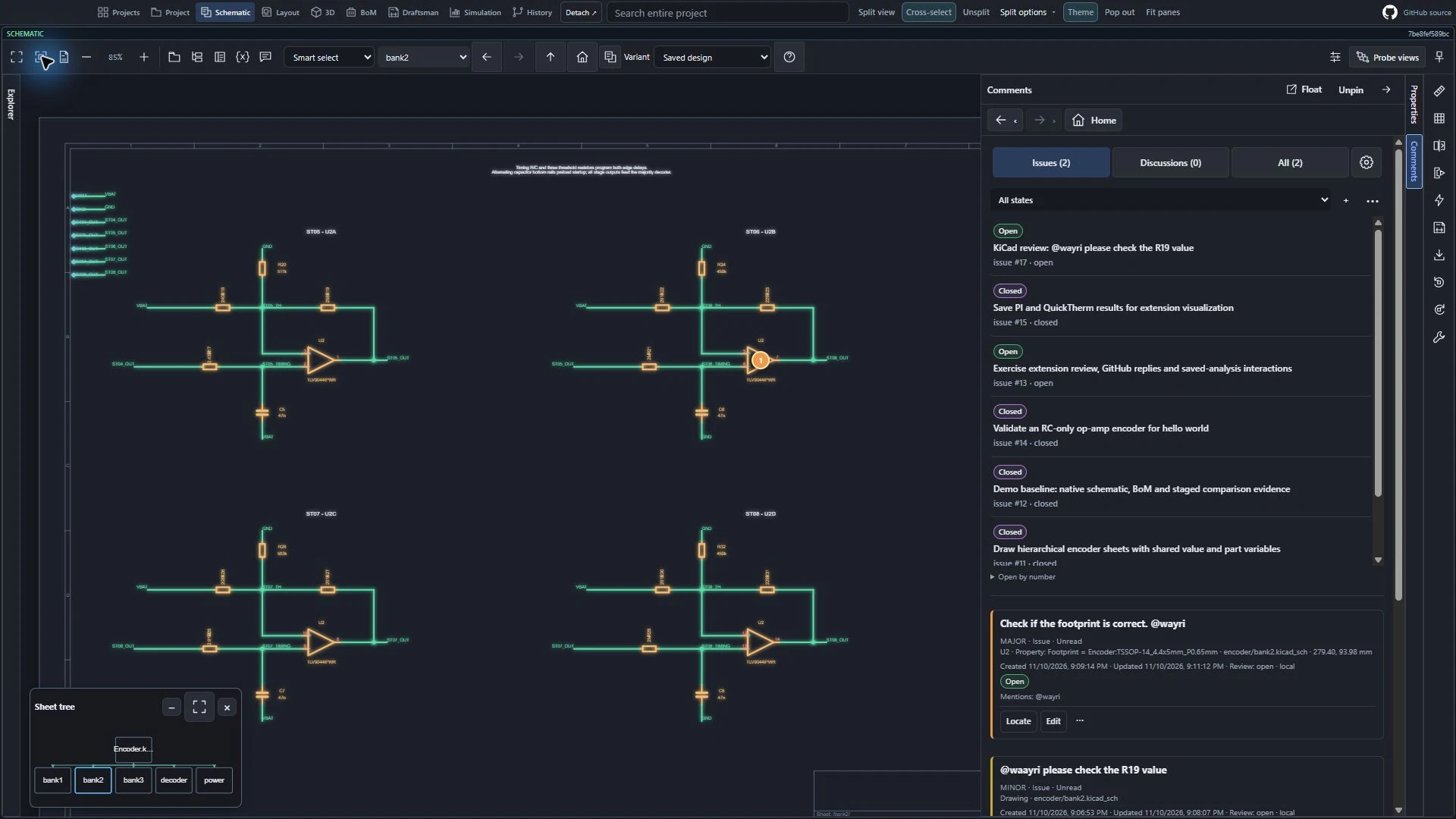
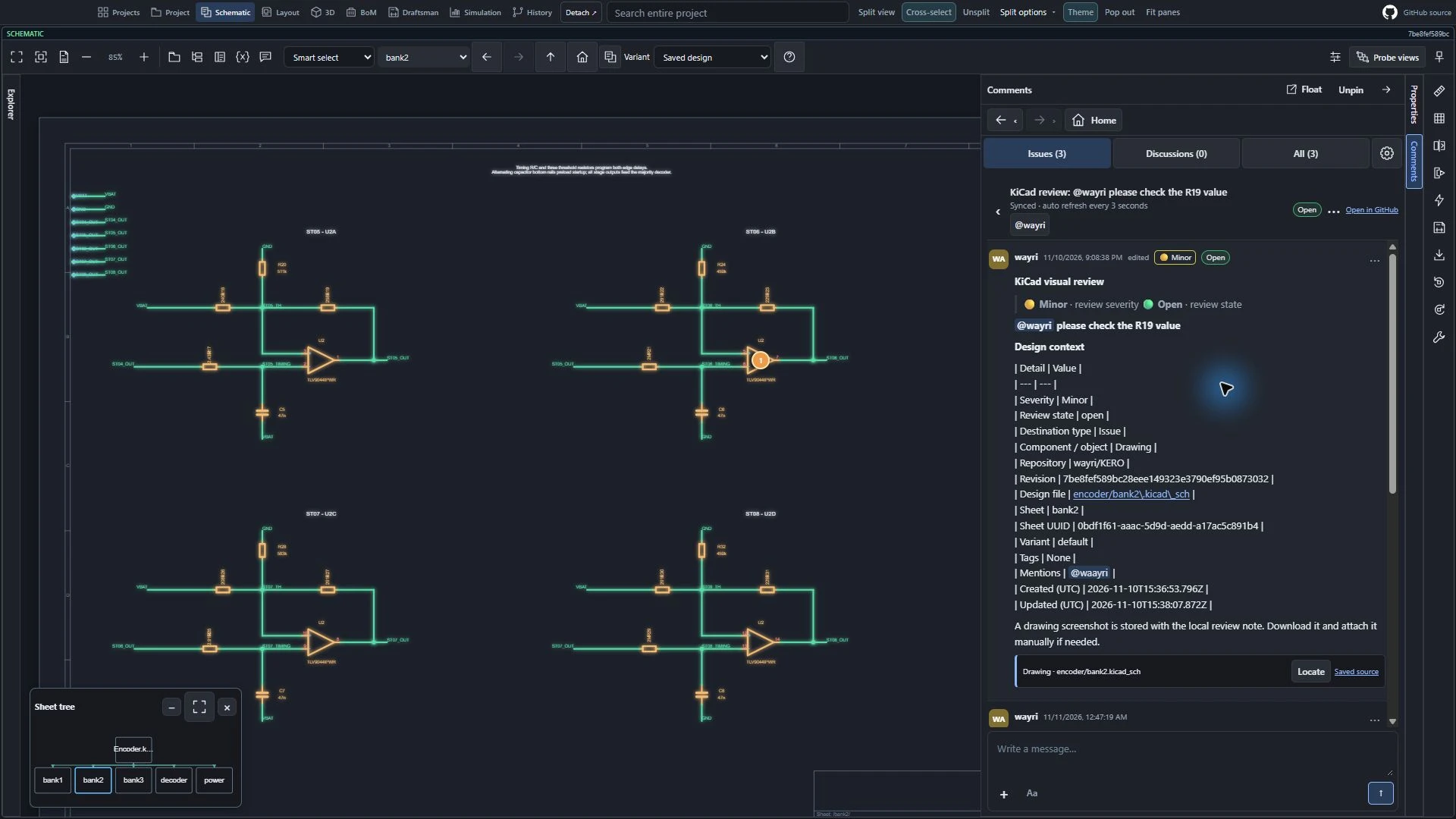
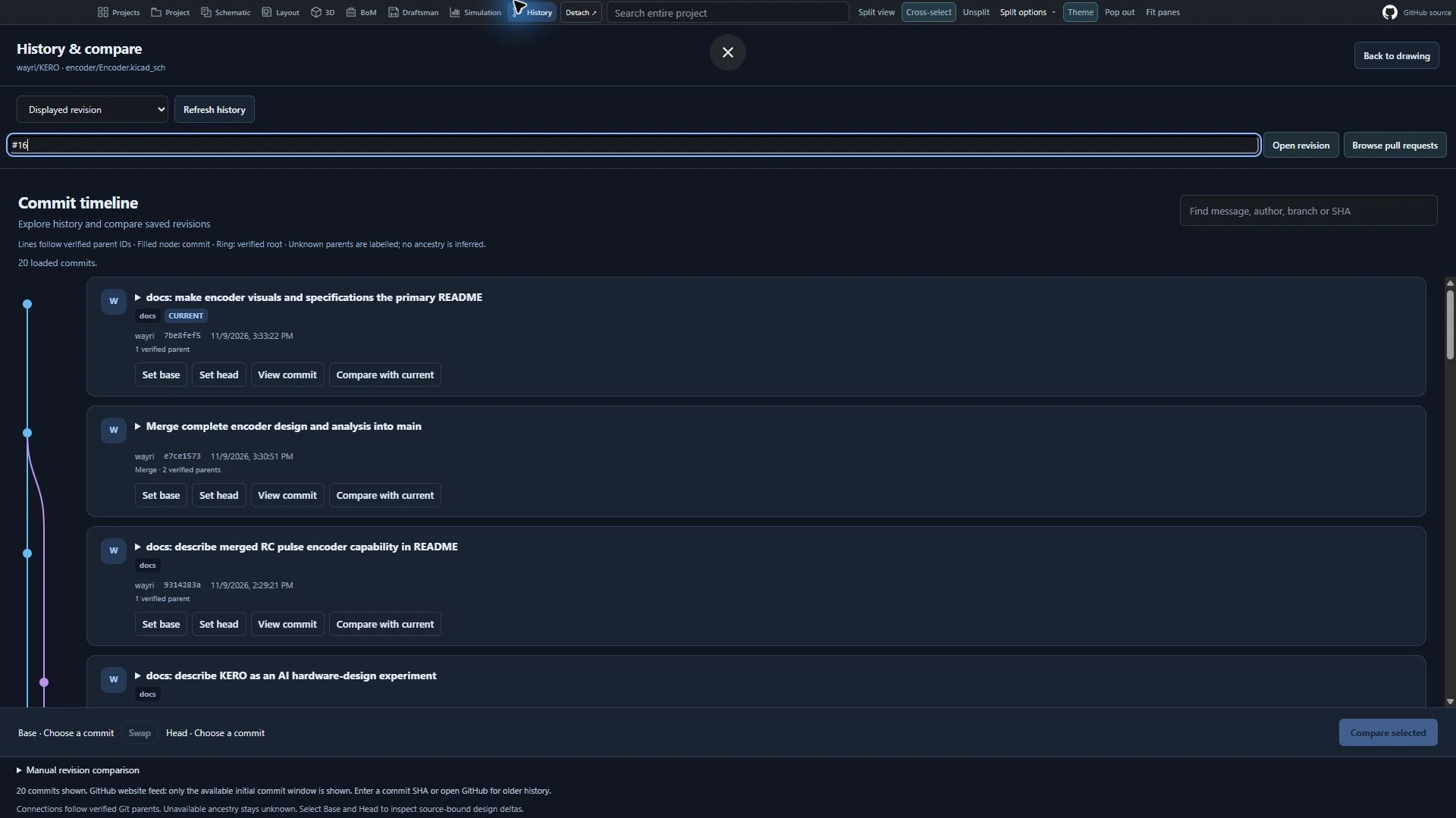
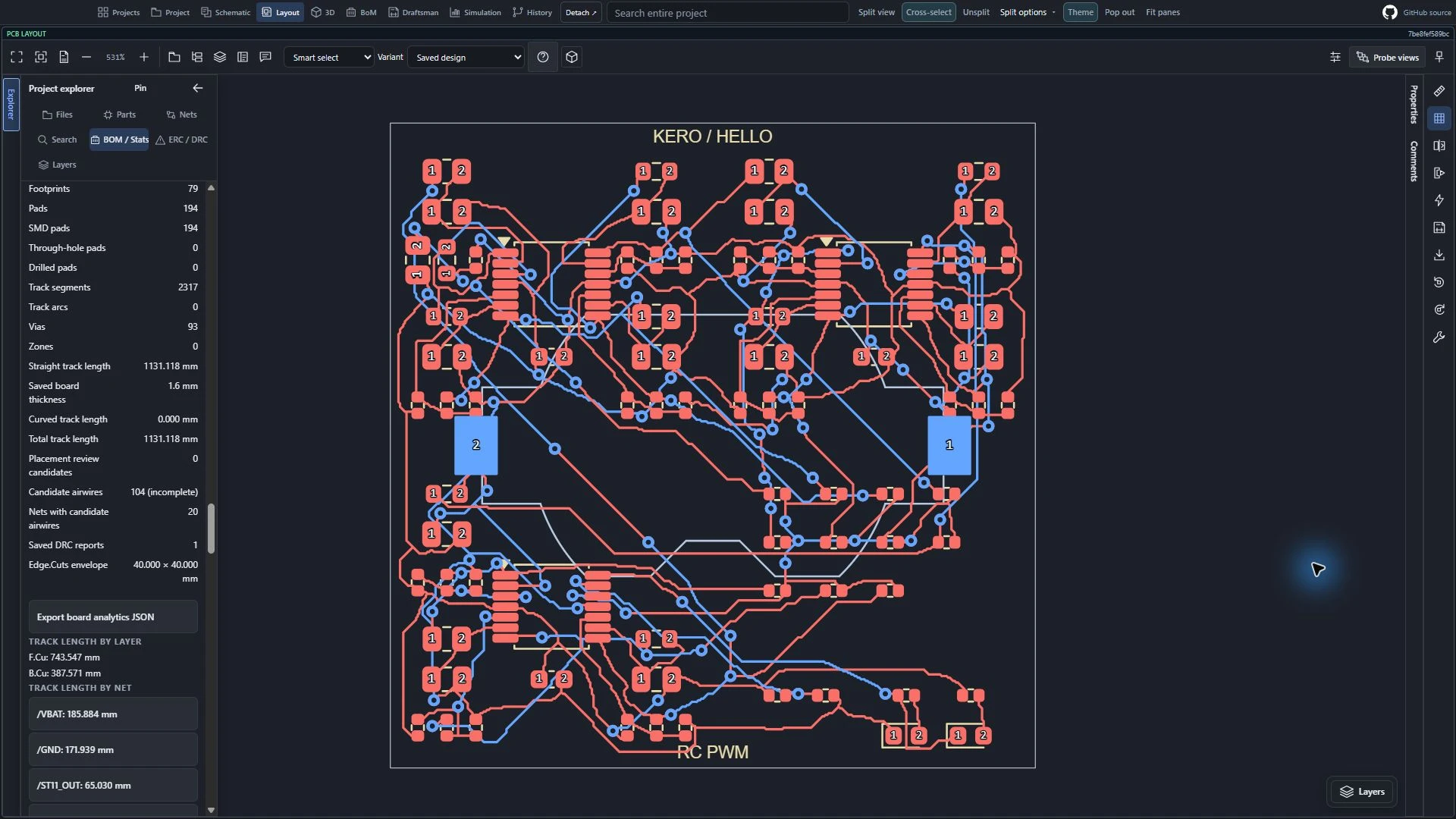
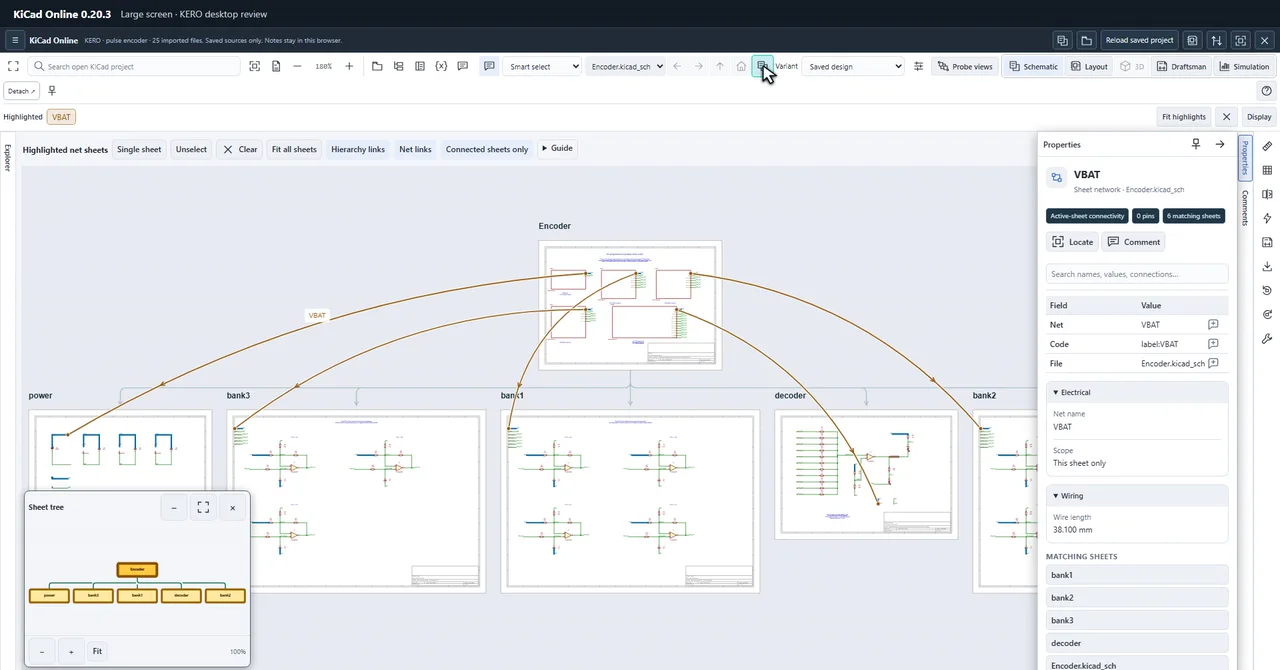
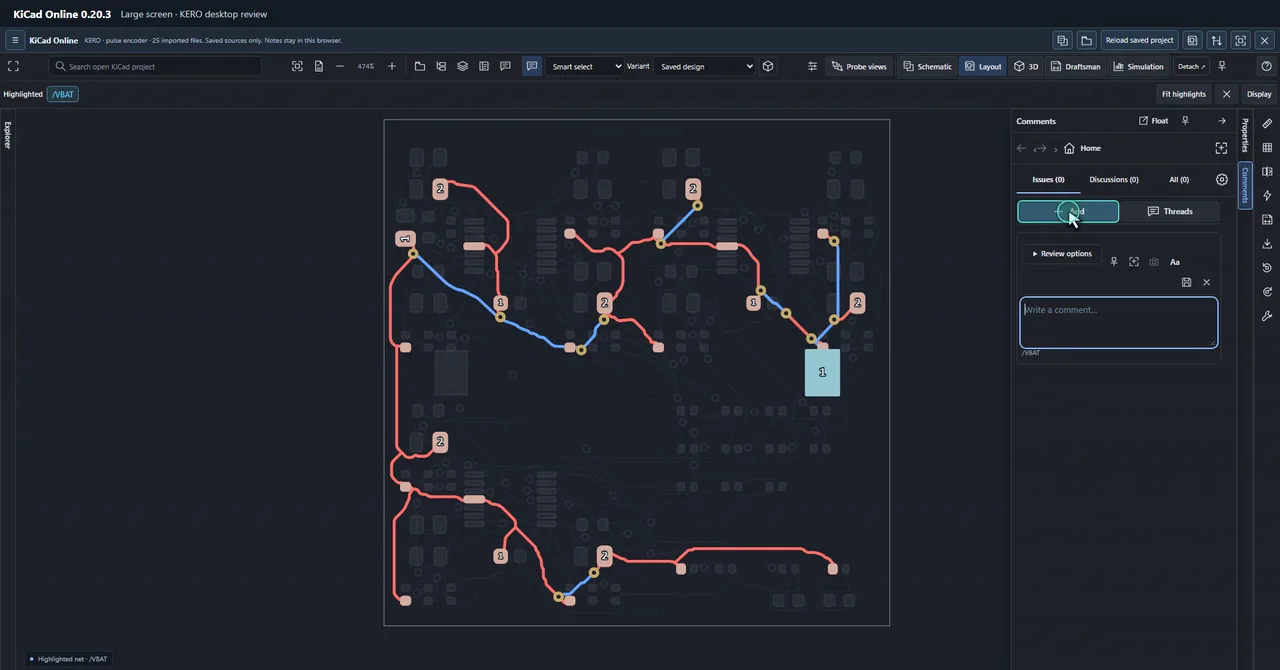
Follow a signal between sheetsSelect ST01_OUT and see the matching sheets, hierarchy links and source-bound properties together.0.12.102 source harness · 19 Nov 2026 · public KERO encoder designInspect separated copper and partsExplore the saved board layers and via structure in Expand mode. This capture uses labelled component stand-ins.0.12.102 source harness · 19 Nov 2026 · models not loaded · public KERO encoder designSelected nets keep their layer coloursFollow selected copper across both layers while the surrounding board stays nearly gray.Captured in 0.12.95 · public KERO encoder designKeep the same selection in 3DThe selected saved net remains visible through the translucent assembly context.Captured in 0.12.95 · public KERO encoder designModel-backed 3D assemblyInspect the encoder assembly in the browser; the viewer reports 79 of 79 linked component models. Material preview is not a mechanical fit qualification.Captured in 0.12.92 · public KERO encoder designHierarchical schematic reviewRead the wired RC timing bank and navigate the six-sheet encoder project.Captured in 0.12.92 · public KERO encoder designRouted PCB reviewExplore the saved two-layer PCB with copper, vias and pad numbers. This image shows the layout, not an assembly table.Captured in 0.12.92 · public KERO encoder designPaired schematic and layoutKeep a timing sheet and board open together for design review.Captured in 0.12.92 · public KERO encoder designNet highlightingHighlight the VBAT copper network while retaining the rest of the board as context.Captured in 0.12.92 · public KERO encoder designSource-bound net inspectionInspect the selected net, saved identity, pad count and routing statistics alongside highlighted copper.Captured in 0.12.92 · public KERO encoder designSchematic and PCB cross-probingInspect the corresponding VBAT selection across schematic and PCB panes. Only the selected network remains bright.Captured in 0.12.92 · public KERO encoder designPCB-linked BoM managerInspect the saved 79-part PCB BoM and local assembly checklist. Progress is unstarted demonstration state.Captured in 0.12.92 · public KERO encoder designGrouped parts tableGroup equivalent parts by value and footprint while keeping individual references accessible.Captured in 0.12.92 · public KERO encoder designResolved project variablesInspect saved project variables, resolved values and their sources.Captured in 0.12.92 · public KERO encoder designBottom-side inspectionSwitch to the reverse side to inspect the CR2032 holder and nominal cell model.Captured in 0.12.92 · public KERO encoder designSnapped board measurementMeasure the saved board outline: 40.000 mm wide. A drawing measurement does not establish fabrication tolerance.Captured in 0.12.92 · public KERO encoder designLayer visibility controlsChoose copper layers, overview, fills, outlines, worksheet, pad numbers and net names.Captured in 0.12.92 · public KERO encoder designTwo-sided Draftsman sheetCompose top and bottom mechanical views with automatic 40 mm board dimensions. The local document is a demonstration draft; no GitHub documentation branch or PDF was published.Captured in 0.12.92 · public KERO encoder designReview anchors and issue browserInspect the existing source-linked annotation marker, local review cards and repository issue list. Local notes remain distinct from published issues.Captured in 0.12.92 · public KERO encoder designGitHub conversation and design contextRead existing GitHub issue 17 in the extension with severity, state, revision, file and sheet metadata. The legacy metadata table is displayed as plain text in this build. No new comment was posted during capture.Captured in 0.12.92 · public KERO encoder designCommit history and ancestryBrowse 20 loaded commits, verified parent links and base/head comparison controls. This capture demonstrates the graph, not a completed PR comparison.Captured in 0.12.92 · public KERO encoder designSaved board analyticsReview saved pad, via and track statistics. Candidate airwires are explicitly incomplete screening data, not native KiCad open-connection results.Captured in 0.12.92 · public KERO encoder design
Demo sources
Real captures, with their context
The leading captures show the public KERO encoder in the exact 0.12.102 source harness, captured on 19 November. This read-only harness supplies saved public files without a signed-in account; it does not test installed-extension transport, comment posting or a physical phone. Its 3D capture uses labelled model stand-ins. Older installed 0.12.92 and development 0.12.95 captures remain individually labelled for their additional workflows.
Review images include existing local annotations and a synced issue; no new review was posted during capture. History shows commit metadata, not a completed PR comparison. Board analytics are viewer estimates, not native ERC/DRC results. A rendered assembly does not qualify mechanical fit or hardware performance.
Open any image to enlarge. Choose a topic or use the arrow keys; manual navigation pauses playback.
KiCad Online in action
Screenshots from the KiCad Online 0.20.3 walkthrough using the public KERO encoder.
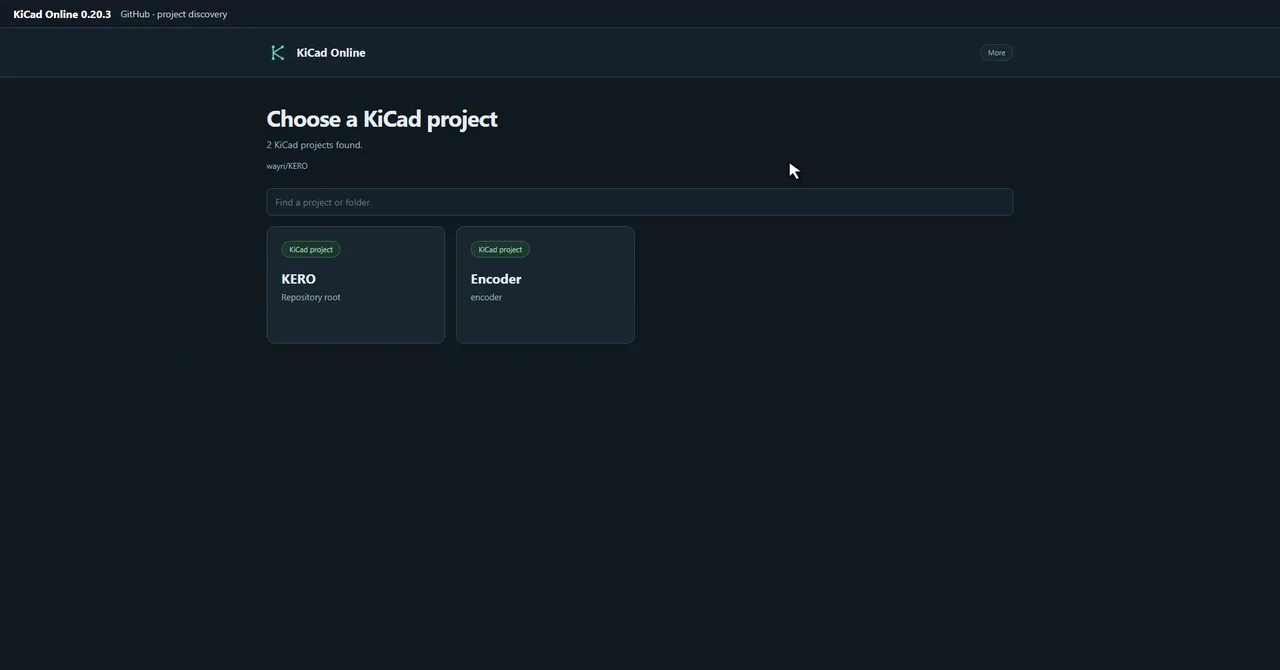
Find the drawing you need
Open a project from GitHub, GitLab, or a local file or folder. When a repository contains several designs, filter the chooser by project or drawing name to get to the right schematic or board.
Follow a signal across sheets and layers
Use the all-sheets overview to see where a signal crosses the hierarchy. Carry the selection to the layout, isolate a copper layer, or inspect matching pads in 3D.
Attach the finding to the drawing
Anchor a note to the affected part, net, or region so another reviewer can open the same context. The KERO example shows a local draft. Supported GitHub issues can be reviewed and replied to from the viewer.
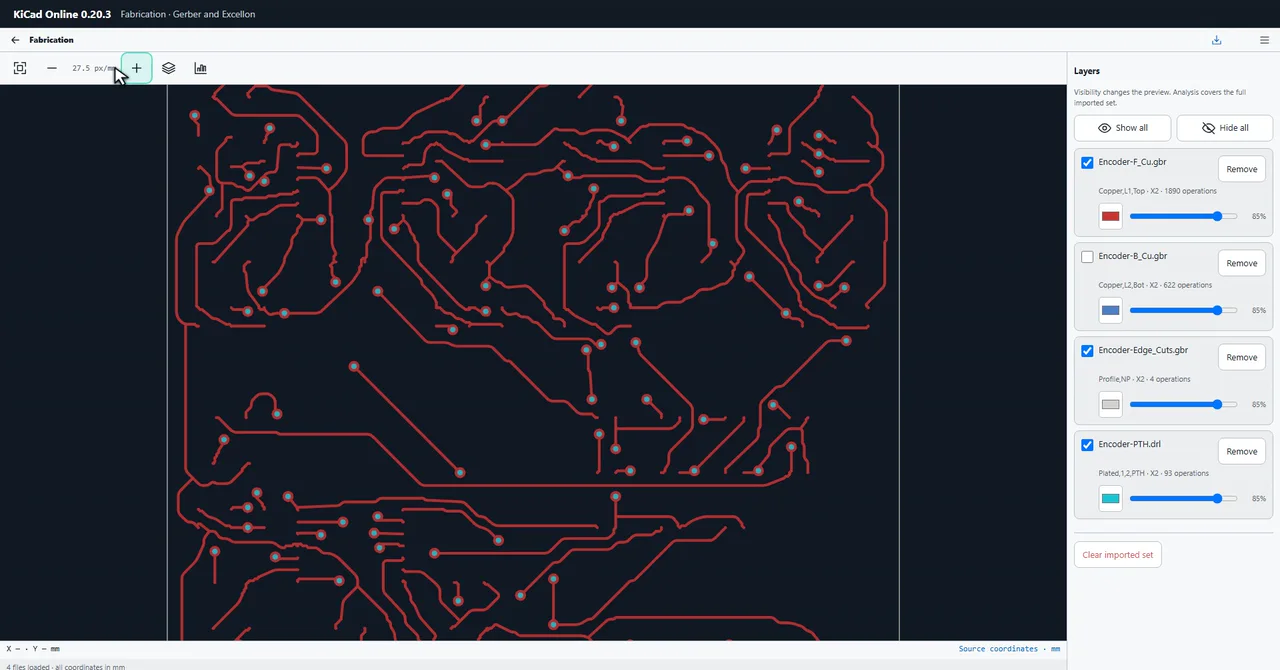
Check fabrication files before handoff
Inspect Gerber copper and outlines alongside Excellon drills to check what the manufacturer receives. Open saved simulation traces separately to compare waveform samples with the cursor tools.
KiCad saved-file compatibility
These rows describe browser and VS Code coverage for saved files. Model-based 3D depends on accessible, supported model files. Fabrication and simulation review depend on the saved exports supplied.
Saved source
Schematic
PCB layout
Validation
KiCad 4–7 and legacy .sch
Restricted preview
Restricted preview
Retained legacy fixtures. Old .brd files require conversion.
KiCad 8
Recognized constructs
Recognized constructs
Header, geometry, fields and older-format fixtures.
KiCad 9
Recognized constructs
Recognized constructs
Generator-header and geometry tests.
KiCad 10
Recognized constructs
Recognized constructs
Header, geometry and KiCad 10 native-reference fixtures.
KiCad 11
Unverified forward preview
Unverified forward preview
Forward-format warnings. Native version acceptance is unverified.
Find designs in larger repositories, manage drawing comments, and switch PCB layer focus without leaving the review.
Search repositories for projects and standalone drawings by name or folder. On GitHub, the browser extension can use revision-pinned tree metadata when the page listing is incomplete.
Toggle markers to clear the drawing while keeping the review conversation available. Reply to existing GitHub issues in the viewer when the connected account and repository policy allow it.
Press L to open the compact PCB layer picker, use brackets to cycle copper layers, and press Shift+L to switch between highlighting and isolation. Dense layouts retain more board detail during a pan.
Open saved EMerge GUI and Quick EMerge results or Touchstone 1.x networks from the Simulation library. The preceding 0.20.2 update added saved KiCad workbook browsing and cross-probing for compatible results.
GitHub includes browser packages, the VS Code VSIX, and the Android 1.105 development APK for manual installation. Chrome, Firefox and VS Code store listings follow their own release schedules. Details & scope ↗
Drawing and navigation
Keep the drawing, hierarchy and selection together.
Back-side pad selection
Pick a pad on the back of a 3D board and follow its saved net. The selection overlay yields to the saved geometry when picking.
Connected sheet overview
See the sheets and instances connected to the highlighted net. Clear the highlight to return to the full hierarchy.
Review in place
Use compact controls above new comments and replies. When a GitHub policy check stops a submission, the draft remains available.
Each gallery capture identifies its build. See the release update above for current features and platform availability.
Choose your installation
GitHub previews and store updates have independent release schedules.
GitHub & Android
0.20.3 preview, Android 1.105 development APK, browser ZIPs and VSIX available
VS Code Marketplace
See the Marketplace version history
Chrome Web Store
See the Chrome Web Store listing
Mozilla Add-ons
See the Mozilla Add-ons version history
Checked 26 Nov 2026. The store links above show the version currently available to install. Distribution details ↗
Follow the design, keep the context
Cross-probe the saved design
Move between schematic, layout and 3D. Follow nets across loaded sheets, inspect exact pins and pads, and open linked detail views with independent cameras.
Review where the finding belongs
Keep point, area, property and BoM notes tied to a drawing and revision. Browse supported Issues and Discussions, send replies explicitly and read provider updates back into the viewer.
Website-session operations use your existing repository access. Organization SSO and provider policy still apply; local notes do not post automatically.
Inspect assemblies and results
Review grouped parts and assembly state, fabrication layers and saved ERC/DRC reports. Fast DC drop accepts two contacts on the same saved net, voltage and load directly in Layout or 3D.
Fast DC drop is experimental analysis. Saved ERC/DRC and simulation reports are displayed; their native engines do not run in the viewer.
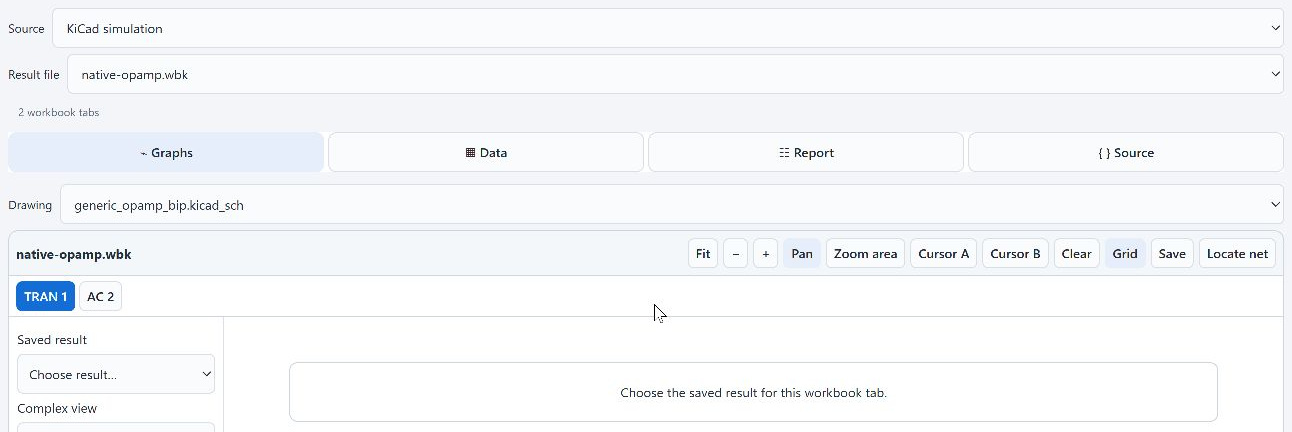
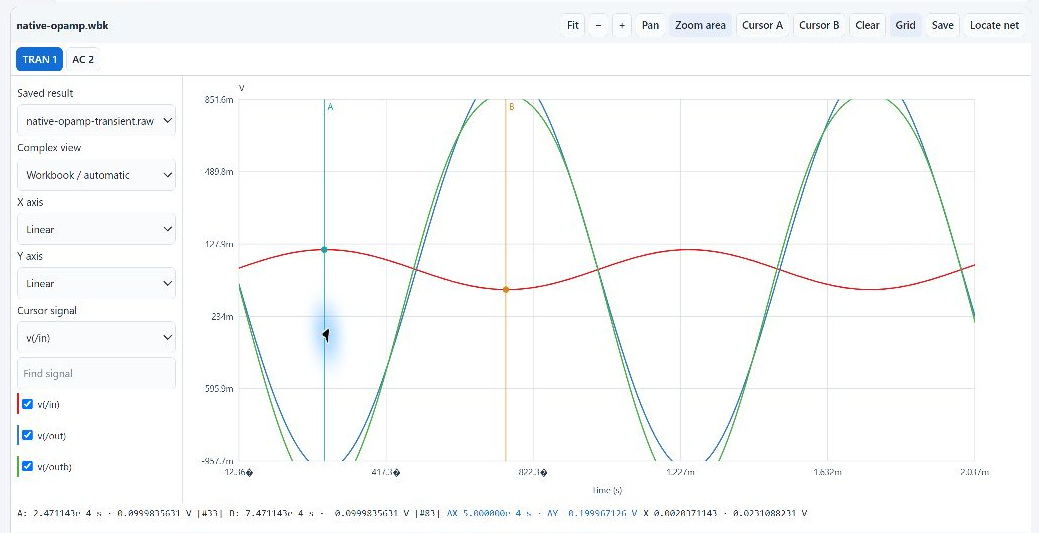
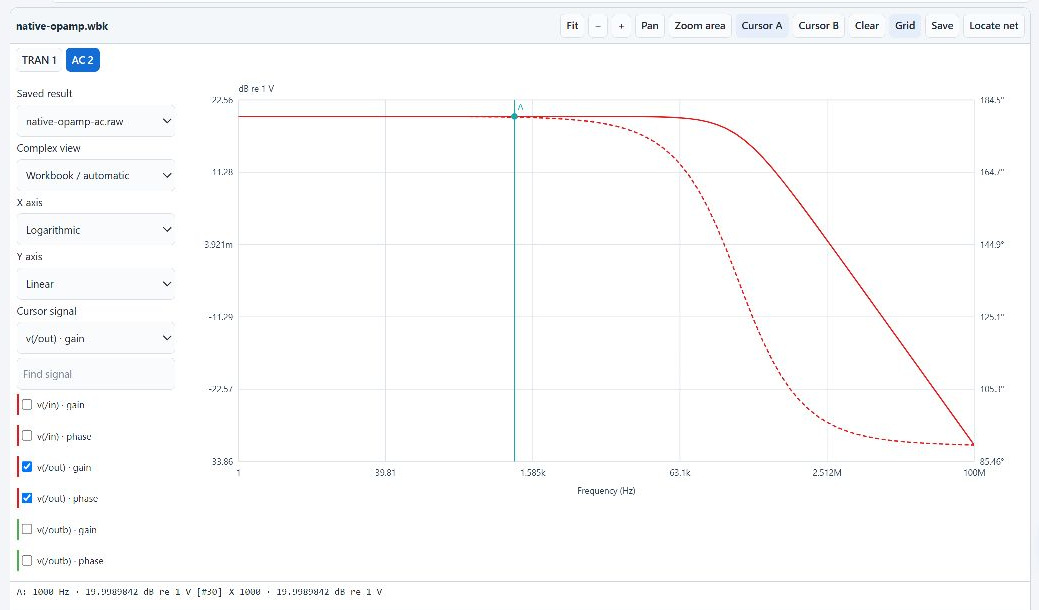
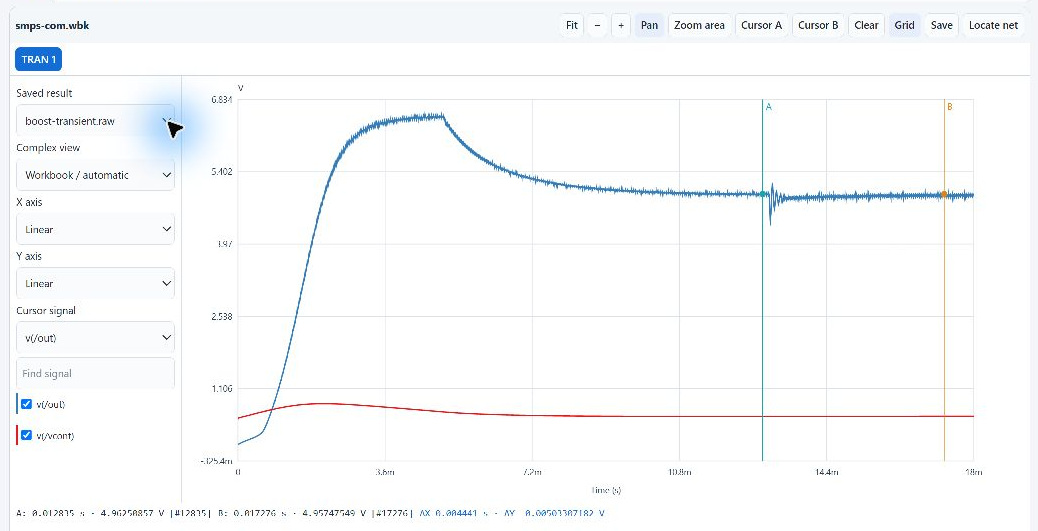
Review KiCad simulation workbooks
Run the circuit in KiCad, save the workbook, and export the traces you want to share. Keep the workbook and numerical exports in the same project.
Open Simulation and select the workbook in Result file.
On each workbook tab, choose the matching CSV, TSV, or ASCII RAW under Saved result.
Choose signals, pan or zoom, and place Cursor A and Cursor B to compare saved samples.
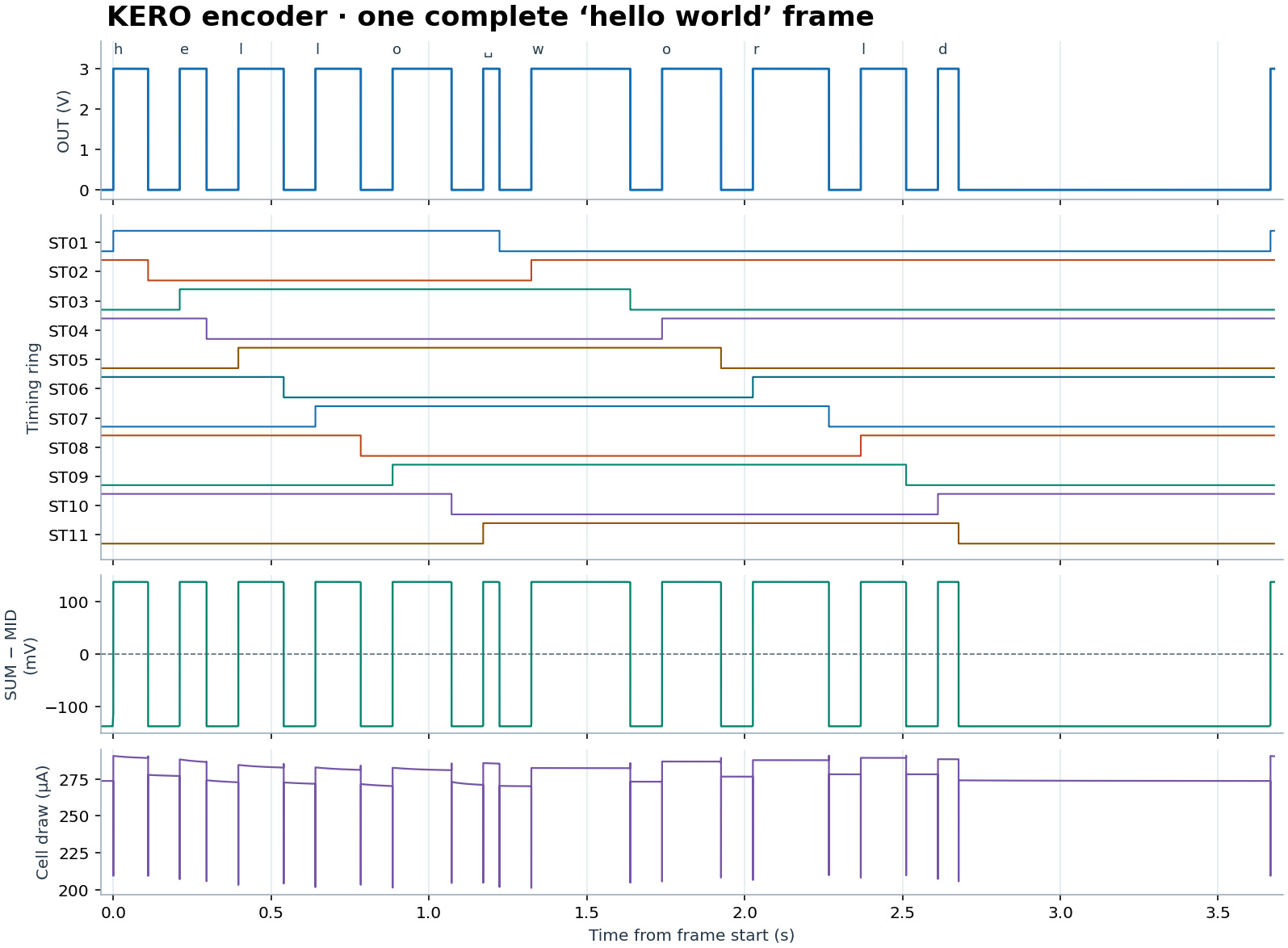
Open the workbook and pair a saved result with each tab.Compare two saved samples with the A/B cursors.Inspect gain and phase on a logarithmic frequency axis.Restore stored cursor positions on the switching transient.Follow a complete KERO encoder frame. Open the KERO workbook and probe its schematic nets ↗Use Sheet or Home to fit the full drawing worksheet.
To see a schematic’s built-in drawing sheet and title block, open the schematic and press Home.
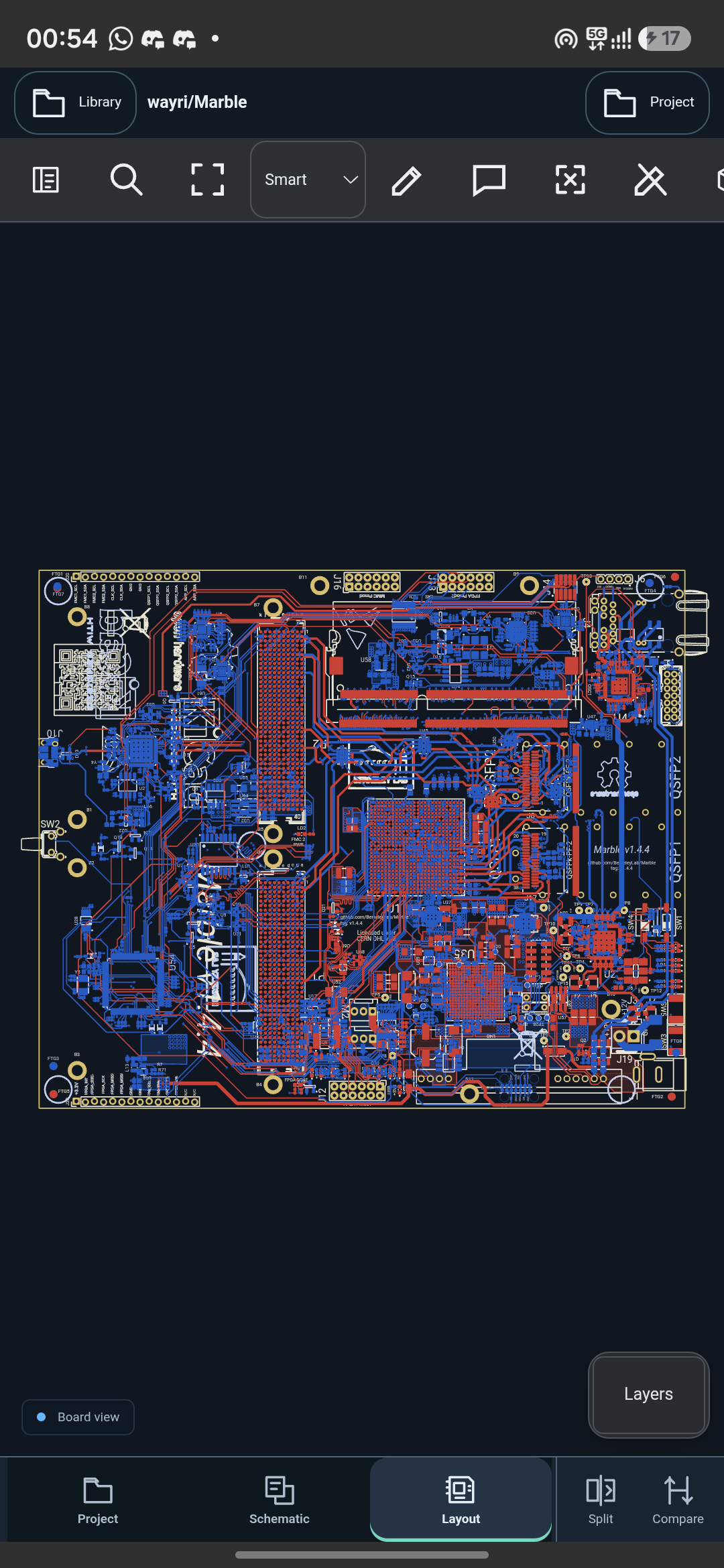
Formerly Pocket KiView, the Android companion brings together imported design review, documents, engineering calculators, BOM/iBOM data, saved simulation results, and Gerber analysis. Available tools depend on the host and imported data.
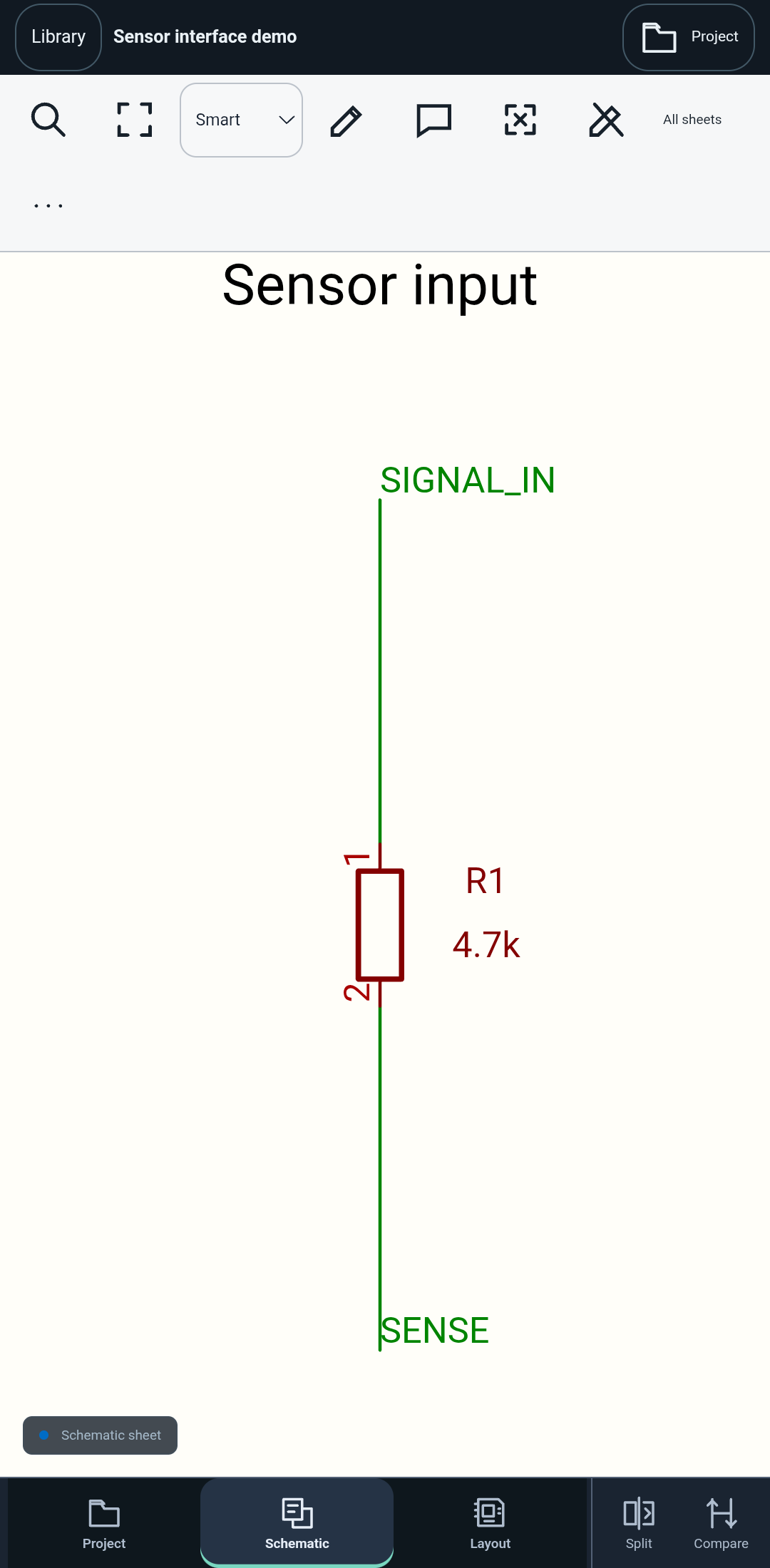
Android preview: Berkeley Lab’s public Marble PCB and a schematic demonstration. Open a picture to enlarge.
Android 1.105 is available from the matching GitHub release for manual installation. The images show earlier preview versions. No Google Play release is available.
Need a viewer inside your own website?
KiCad WebView is the separate embeddable browser library. Explore its read-only schematic, PCB, 3D assembly, and manufacturing examples.